> ## Documentation Index
> Fetch the complete documentation index at: https://developers.hubspot.jp/docs/llms.txt
> Use this file to discover all available pages before exploring further.

# HubL標準タグ

> 全てのHubLタグの構文と利用可能なパラメーターを網羅したリファレンスガイド。

このページは、全ての標準HubLタグの構文と利用可能なパラメーターを網羅したリファレンスガイドです。標準HubLタグの中には、Eメール配信登録(サブスクリプション)ページなどの[システムページのタグ](#system-page-tags)も含まれています。以下の各タグに、基本構文のサンプル、およびパラメーターとコード出力の例が含まれています。

ドラッグ＆ドロップエリアを作成する場合は、[ドラッグ＆ドロップエリアのタグ](/cms/reference/hubl/tags/dnd-areas)についての詳細をご確認ください。古いウェブサイトを維持している場合は、[非推奨のHubLタグのリスト](/cms/versions-deprecations/deprecated/hubl/filters-functions)もご確認ください。

<Tip>
  このページのタグのほとんどは[デフォルトのモジュールに同等のもの](/cms/reference/modules/default-modules)があります。モジュールは[dnd\_areas](https://developers.hubspot.jp/docs/cms/start-building/building-blocks/drag-and-drop/overview)内および[フレキシブルカラム](#flexible-column)内で使用でき、ここで示すタグよりも効果的かつユーザーフレンドリーです。
</Tip>

## ブログコメント

コメント自体とコメントフォームを含むコメント埋め込みコードをブログテンプレートにレンダリングします。ブログのコメント設定とフォームのカスタマイズの詳細については、[ナレッジベース](https://knowledge.hubspot.com/ja/blog/set-up-and-moderate-your-blog-comments)をご確認ください。

<CodeGroup>
  ```text 入力.txt theme={null}
  {% blog_comments "blog_comments" label="Blog comments" select_blog="359485112" %}
  ```

  ```text 出力.txt theme={null}
  <span
  id="hs_cos_wrapper_blog_comments"
  class="hs_cos_wrapper hs_cos_wrapper_widget hs_cos_wrapper_type_blog_comments"
  style=""
  data-hs-cos-general-type="widget"
  data-hs-cos-type="blog_comments"
  >
  <div class="section post-footer">
  <div id="comments-listing" class="new-comments"></div>
  <div id="hs_form_target_{formID}" data-hs-forms-root="true">
  <div class="hs-comment-message hs-common-confirm-message">
  Your comment has been received.
  </div>
  <form
  id="hsForm_id"
  method="POST"
  accept-charset="UTF-8"
  enctype="multipart/form-data"
  novalidate=""
  action="https://forms.hsforms.com/submissions/v3/public/submit/formsnext/multipart/{hubID}/{formID}"
  class="hs-form-private hs-form stacked"
  target="target_iframe_07e1eb93-87f2-48039"
  data-instance-id="{formID}"
  data-formid="{formID}"
  data-portal-id="123456"
  data-test-id="hsForm_{formID}"
  data-hs-cf-bound="true"
  >
  <div
  class="hs_firstname hs-firstname hs-fieldtype-text field hs-form-field"
  >
  <label
  id="label-firstname-07e1eb93"
  class=""
  placeholder="Enter your First Name"
  for="firstname-07e1eb9339"
  ><span>First Name</span
  ><span class="hs-form-required">*</span></label
  >
  <legend class="hs-field-desc" style="display: none;"></legend>
  <div class="input">
  <input
  id="firstname-{formID}"
  name="firstname"
  required=""
  placeholder=""
  type="text"
  class="hs-input"
  inputmode="text"
  autocomplete="given-name"
  value=""
  />
  </div>
  </div>
  <div
  class="hs_lastname hs-lastname hs-fieldtype-text field hs-form-field"
  >
  <label
  id="label-lastname-{formID}"
  class=""
  placeholder="Enter your Last Name"
  for="lastname-{formID}"
  ><span>Last Name</span></label
  >
  <legend class="hs-field-desc" style="display: none;"></legend>
  <div class="input">
  <input
  id="lastname-{formID}"
  name="lastname"
  placeholder=""
  type="text"
  class="hs-input"
  inputmode="text"
  autocomplete="family-name"
  value=""
  />
  </div>
  </div>
  <div class="hs_email hs-email hs-fieldtype-text field hs-form-field">
  <label
  id="label-email-{formID}"
  class=""
  placeholder="Enter your Email"
  for="email-{formID}"
  ><span>Email</span><span class="hs-form-required">*</span></label
  >
  <legend class="hs-field-desc" style="display: none;"></legend>
  <div class="input">
  <input
  id="email-{formID}"
  name="email"
  required=""
  placeholder=""
  type="email"
  class="hs-input"
  inputmode="email"
  autocomplete="email"
  value=""
  />
  </div>
  </div>
  <div
  class="hs_website hs-website hs-fieldtype-text field hs-form-field"
  >
  <label
  id="label-website-{formID}"
  class=""
  placeholder="Enter your Website"
  for="website-{formID}"
  ><span>Website</span></label
  >
  <legend class="hs-field-desc" style="display: none;"></legend>
  <div class="input">
  <input
  id="website-{formID}"
  name="website"
  placeholder=""
  type="text"
  class="hs-input"
  inputmode="url"
  value=""
  />
  </div>
  </div>
  <div
  class="hs_comment hs-comment hs-fieldtype-textarea field hs-form-field"
  >
  <label
  id="label-comment-{formID}"
  class=""
  placeholder="Enter your Comment"
  for="comment-{formID}"
  ><span>Comment</span><span class="hs-form-required">*</span></label
  >
  <legend class="hs-field-desc" style="display: none;"></legend>
  <div class="input">
  <textarea
  id="comment-{formID}"
  class="hs-input hs-fieldtype-textarea"
  name="comment"
  required=""
  placeholder=""
  ></textarea>
  </div>
  </div>
  <div class="hs_recaptcha hs-recaptcha field hs-form-field">
  <div class="input">
  <div
  class="grecaptcha-badge"
  data-style="inline"
  style="width: 256px; height: 60px; box-shadow: gray 0px 0px 5px;"
  >
  <div class="grecaptcha-logo">
  <iframe
  title="reCAPTCHA"
  width="256"
  height="60"
  role="presentation"
  name="a-pp7yub2hvkn1"
  frameborder="0"
  scrolling="no"
  sandbox="allow-forms allow-popups allow-same-origin allow-scripts allow-top-navigation allow-modals allow-popups-to-escape-sandbox allow-storage-access-by-user-activation"
  src="https://www.google.com/recaptcha/enterprise/anchor?{queryParams}"
  ></iframe>
  </div>
  <div class="grecaptcha-error"></div>
  <textarea
  id="g-recaptcha-response"
  name="g-recaptcha-response"
  class="g-recaptcha-response"
  style="width: 250px; height: 40px; border: 1px solid rgb(193, 193, 193); margin: 10px 25px; padding: 0px; resize: none; display: none;"
  ></textarea>
  </div>
  <iframe style="display: none;"></iframe>
  </div>
  <input
  type="hidden"
  name="g-recaptcha-response"
  id="hs-recaptcha-response"
  value=""
  />
  </div>
  <div class="hs_submit hs-submit">
  <div class="hs-field-desc" style="display: none;"></div>
  <div class="actions">
  <input
  type="submit"
  class="hs-button primary"
  value="Submit Comment"
  />
  </div>
  </div>
  <input name="hs_context" type="hidden" value="{submissionContext}" />
  <iframe name="target_iframe_{formID}" style="display: none;"></iframe>
  </form>
  </div>
  </div>
  </span>
  ```
</CodeGroup>

| パラメーター        | タイプ               | 説明                                                                                                                          | デフォルト値    |
| ------------- | ----------------- | --------------------------------------------------------------------------------------------------------------------------- | --------- |
| `limit`       | 数値                | 最大コメント数を設定します。                                                                                                              | `5000`    |
| `select_blog` | "default"またはブログID | 埋め込みコメントにどのブログが接続されるかを指定します。このパラメーターには`"default"`、または（ブログダッシュボードのURLで取得できる）特定のブログのIDを指定できます。デフォルトのブログを使用する場合、このパラメーターは不要です。 | `default` |
| `skip_css`    | ブール値              | このオプションをTrueに設定すると、ブログコメントCSSの読み込みが停止します。                                                                                   | `false`   |
| `message`     | 文字列               | コメントがない場合に表示するメッセージ。デフォルトでは空として表示されます（テキストは表示されません）。                                                                        | `""`      |

## ブログコンテンツ

[ドラッグ＆ドロップレイアウト](/cms/start-building/building-blocks/drag-and-drop/drag-and-drop-templates)にはブログコンテンツモジュールが含まれていますが、これらのモジュールは1つのタグでは作成されません。代わりに、条件付きロジックを使用してブログ記事とブログリストをどのようにレンダリングするかを定義します。[ブログテンプレートのコーディングの詳細についてはこちら](/cms/start-building/building-blocks/templates/blog)をご参照ください。

## ブログ記事フィルター

トピック別の記事、月別の記事、執筆者別の記事のリンクリストを作成します。

<Warning>
  ### 注：

  このモジュールはブログ記事テンプレートでのみ使用できます。
</Warning>

<CodeGroup>
  ```text 入力.txt theme={null}
  {% post_filter "post_filter" %}
  {% post_filter "posts_by_topic"
  select_blog="default",
  expand_link_text="see all",
  overrideable=False,
  list_title="Posts by Topic",
  max_links=5,
  filter_type="topic",
  label="Posts by Topic"
  %}
  ```

  ```text 出力.txt theme={null}
  <span
  id="hs_cos_wrapper_posts_by_topic"
  class="hs_cos_wrapper hs_cos_wrapper_widget hs_cos_wrapper_type_post_filter"
  style=""
  data-hs-cos-general-type="widget"
  data-hs-cos-type="post_filter"
  >
  <div class="block">
  <h3>Posts by Topic</h3>
  <div class="widget-module">
  <ul>
  <li><a href="http://www.hubspot.com/blog/topic/sales">Sales</a></li>
  <li>
  <a href="http://www.hubspot.com/blog/topic/marketing">Marketing</a>
  </li>
  <li><a href="http://www.hubspot.com/blog/topic/service">Service</a></li>
  <li>
  <a href="http://www.hubspot.com/blog/topic/operations">Operations</a>
  </li>
  <li><a href="http://www.hubspot.com/blog/topic/cms">CMS</a></li>
  <li>
  <a href="http://www.hubspot.com/blog/topic/industry">Industry</a>
  </li>
  </ul>
  </div>
  </div>
  </span>
  ```
</CodeGroup>

| パラメーター             | タイプ               | 説明                                                              | デフォルト値      |
| ------------------ | ----------------- | --------------------------------------------------------------- | ----------- |
| `select_blog`      | "default"またはブログID | 使用するHubSpotブログを選択します。このパラメーターでは、ブログIDまたは"default"値のどちらかを使用します。  | `"default"` |
| `expand_link_text` | 文字列               | 記事数が表示可能なmax\_links数を超える場合に表示するテキストリンク。リンクを省略するには、パラメーターを除外します。 | `"see all"` |
| `list_title`       | 文字列               | 表示するリストタイトル。                                                    | `""`        |
| `list_tag`         | 文字列               | リストに使用されるタグを設定します。この値は通常、`"ul"`または`"ol"`です。                     | `"ul"`      |
| `title_tag`        | 文字列               | リストタイトルに使用されるタグを設定します。                                          | `"h3"`      |
| `max_links`        | 数値                | 表示するフィルター値の最大数。全て表示するには、パラメーターを除外します。                           | `5`         |
| `filter_type`      | 列挙                | フィルターのタイプを選択します。指定可能な値は、`"topic"`、`"month"`、および`"author"`です。    | `"topic"`   |

## ブログ記事リスト

最も人気のある記事または上位記事のリストを追加します。

<Warning>
  ### 注：

  このタグは、ブログ記事テンプレートでのみ使用できます。このタグのコンテンツは、クライアント側で非同期的に読み込まれます。そのため、読み込まれた後にフィードを操作する場合は、その操作を処理するグローバルJS関数を定義する必要があります。`hsPostListingComplete(feeds)`関数を使用してください。`feeds`には完了した全てのフィードのjQueryセレクターを渡します。この関数でDOMオブジェクトを直接操作できます。
</Warning>

<CodeGroup>
  ```text 入力.txt theme={null}
  {% post_listing "post_listing" %}
  {% post_listing "top_posts" select_blog="default", label="Recent Posts", overrideable=False, list_title="Recent Posts", listing_type="recent", max_links=5 %}
  ```

  ```text 出力.txt theme={null}
  <span
  id="hs_cos_wrapper_module_42751498763_top_posts"
  class="hs_cos_wrapper hs_cos_wrapper_widget hs_cos_wrapper_type_post_listing"
  style=""
  data-hs-cos-general-type="widget"
  data-hs-cos-type="post_listing"
  >
  <div class="block">
  <h3>Recent Posts</h3>
  <div class="widget-module">
  <ul class="hs-hash-1630637453-1678475653429">
  <li class="hs-postlisting-item">
  <a
  href="https://blog.hubspot.com/marketing/product-category-marketing"
  >9 Product Category Marketing Examples to Inspire Your Own</a
  >
  </li>
  <li class="hs-postlisting-item">
  <a
  href="https://blog.hubspot.com/marketing/increasing-mobile-conversion-rate"
  >Mobile Conversion Rate: What It Is and How To Increase It</a
  >
  </li>
  <li class="hs-postlisting-item">
  <a
  href="https://blog.hubspot.com/blog/tabid/6307/bid/33401/14-real-life-examples-of-cta-copy-you-should-copy.aspx"
  >14 Real-Life Examples of CTA Copy YOU Should Copy</a
  >
  </li>
  </ul>
  </div>
  </div>
  </span>
  ```
</CodeGroup>

| パラメーター                   | タイプ               | 説明                                                                                                                                    | デフォルト値      |
| ------------------------ | ----------------- | ------------------------------------------------------------------------------------------------------------------------------------- | ----------- |
| `select_blog`            | "default"またはブログID | リストに使用するHubSpotブログを選択します。このパラメーターでは、ブログIDまたは`"default"`値のどちらかを使用します。                                                                  | `"default"` |
| `list_title`             | 文字列               | 表示するリストタイトル。                                                                                                                          | `""`        |
| `list_tag`               | 文字列               | リストに使用されるタグを設定します。この値は通常、`"ul"`または`"ol"`です。                                                                                           | `"ul"`      |
| `title_tag`              | 文字列               | リストタイトルに使用されるタグを設定します。                                                                                                                | `"h3"`      |
| `listing_type`           | 文字列               | 指定した期間のブログ記事を新着順または人気順に表示します。指定可能な値は、recent、popular\_all\_time、popular\_past\_year、popular\_past\_six\_months、popular\_past\_monthです。 | `"recent"`  |
| `max_links`              | 数値                | リストに表示するブログ記事の最大数。                                                                                                                    | `5`         |
| `include_featured_image` | ブール値              | 記事リンクと共にキービジュアルを表示します。                                                                                                                | `False`     |

## ブログの関連記事

複数ブログの記事で共有されたパラメーターのセットに基づいてブログ記事のリストを追加します。記事は、セットパラメーターとの関連性に基づいて選択されます。

このタグは、ページ／記事レベルの編集可能モジュールを生成するのではなく、全体がHubLで設定されます。

<CodeGroup>
  ```text 入力.txt theme={null}
  {% related_blog_posts
  limit=2,
  blog_ids="1,2",
  tags="Sales enablement,Marketing",
  blog_authors="John Smith,Frank Smith",
  path_prefixes="/business-blog",
  start_date="2018-04-10",
  end_date="2018-04-10",
  blog_post_override="2783035366"
  %}
  ```

  ```text 出力.txt theme={null}
  <span
  class="hs_cos_wrapper hs_cos_wrapper_widget hs_cos_wrapper_type_related_blog_posts"
  data-hs-cos-general-type="widget"
  data-hs-cos-type="related_blog_posts"
  id="hs_cos_wrapper_"
  style=""
  ><!--related-blog-entries--></span
  >
  <div class="hs-related-blog-module feedreader_box">
  <span
  class="hs_cos_wrapper hs_cos_wrapper_widget hs_cos_wrapper_type_related_blog_posts"
  data-hs-cos-general-type="widget"
  data-hs-cos-type="related_blog_posts"
  id="hs_cos_wrapper_"
  style=""
  ></span>
  <div class="hs-related-blog-item">
  <span
  class="hs_cos_wrapper hs_cos_wrapper_widget hs_cos_wrapper_type_related_blog_posts"
  data-hs-cos-general-type="widget"
  data-hs-cos-type="related_blog_posts"
  id="hs_cos_wrapper_"
  style=""
  ></span>
  <div class="hs-related-blog-item-text">
  <span
  class="hs_cos_wrapper hs_cos_wrapper_widget hs_cos_wrapper_type_related_blog_posts"
  data-hs-cos-general-type="widget"
  data-hs-cos-type="related_blog_posts"
  id="hs_cos_wrapper_"
  style=""
  ><a
  class="hs-related-blog-title"
  href="//www.hubspot.com/business-blog/marketing-is-fun"
  ><span>Marketing is fun</span></a
  ></span
  >
  <div class="hs-related-blog-byline">
  by <span class="hs-related-blog-author">John Smith</span>
  <span class="hs-related-blog-posted-at">posted on</span>
  <span class="hs-related-blog-date">June 3, 2018</span>
  </div>
  <div class="hs-related-blog-byline">
  <p class="hs-related-blog-description">
  Learn how to make marketing fun!<a
  href="//www.hubspot.com/business-blog/marketing-is-fun"
  >Read more</a
  >
  </p>
  </div>
  <div class="hs-related-blog-byline">
  <span class="hs-related-blog-tags">Tags: Marketing</span>
  </div>
  </div>
  </div>
  <div class="hs-related-blog-item hs-with-featured-image">
  <div class="hs-related-blog-item-text">
  <a
  class="hs-related-blog-title"
  href="//www.hubspot.com/business-blog/sales-is-fun"
  ><span>Sales is fun</span></a
  >
  <div class="hs-related-blog-byline">
  by <span class="hs-related-blog-author">Frank Smith</span>
  <span class="hs-related-blog-posted-at">posted on</span>
  <span class="hs-related-blog-date">June 7, 2018</span>
  </div>
  <div class="hs-related-blog-byline">
  <p class="hs-related-blog-description">
  Learn how to make sales fun!<a
  href="//www.hubspot.com/business-blog/sales-is-fun"
  >Read more</a
  >
  </p>
  </div>
  <div class="hs-related-blog-byline">
  <span class="hs-related-blog-tags">Tags: Sales enablement</span>
  </div>
  </div>
  <div class="hs-related-blog-item-image-wrapper">
  <img
  alt=""
  class="hs-related-blog-featured-image"
  src="//www.hubspot.com/hubfs/business-blog/sales-is-fun.jpg"
  />
  </div>
  </div>
  </div>
  ```
</CodeGroup>

| パラメーター               | タイプ  | 説明                                                                                                                                                                             | デフォルト値    |
| -------------------- | ---- | ------------------------------------------------------------------------------------------------------------------------------------------------------------------------------ | --------- |
| `blog_ids`           | 数値   | リストに表示する記事を含むブログのID。指定しない場合、デフォルトのブログからの記事が含まれます。                                                                                                                              |           |
| `blog_post_ids`      | 文字列  | リストに表示する関連ブログ記事の検索に使用するブログ記事のID（カンマ区切り）。このパラメーターは、ウィジェットがページに表示されている場合にのみ使用します。ブログ記事で使用すると、現在表示されているブログ記事に基づいて関連する記事を検索します。                                                    |           |
| `blog_post_override` | 文字列  | その他全てのパラメーター値やフィルターに関係なく、返されたリストに常に表示されるブログ記事のID（カンマ区切り）。                                                                                                                      |           |
| `limit`              | 数値   | リストに表示するブログ記事の最大数。                                                                                                                                                             | `3`       |
| `tags`               | 文字列  | 記事に関連性があるかどうかを判定するために使用するブログタグ（カンマ区切り）。指定されたタグを持つブログ記事は、関連性のランクが高くなります。                                                                                                        |           |
| `tag_boost`          | 数値   | 関連する投稿を生成するために、`tags`パラメーターで指定されたタグへの重みづけを大きくします。このパラメーターを含めると、現在表示されている投稿または指定された投稿に関連する投稿を、より近くに取り込めます。正の数値を使用します。                                                           |           |
| `start_date`         | 日時   | 最も古い公開日。[以下の例](#examples)を参照してください。                                                                                                                                            |           |
| `end_date`           | 日時   | 最新の公開日。[以下の例](#examples)を参照してください。                                                                                                                                             |           |
| `blog_authors`       | 文字列  | リストに表示する記事の執筆者の名前（カンマ区切り）。[以下の例](#examples)を参照してください。                                                                                                                          |           |
| `path_prefixes`      | 文字列  | リストに表示する記事のURLパスまたはサブディレクトリー（カンマ区切り）。ブログ記事のパスに類似するプレフィックスがある場合は、記事の関連性が高くなり、リストでのランキングが向上します。                                                                                  |           |
| `callback`           | 文字列  | 返されるブログ記事をレンダリングするためのJavaScript関数の名前。関数に、形式を設定するブログ記事オブジェクトの配列が渡されます。`callback`パラメーターと`post_formatter`パラメーターのどちらも指定されていない場合、タグはデフォルトの形式のHTMLを生成します。[以下の例](#examples)を参照してください。 | `none`    |
| `post_formatter`     | 文字列  | 返されるブログ記事をレンダリングするためのカスタムマクロの名前。このマクロには、フォーマットするブログ記事オブジェクト、ブログ記事の反復数、および結果に含まれるブログ記事の合計数という3つのパラメーターが渡されます。指定されていないか、`default`に設定された場合は、組み込みのフォーマッターを使用して各記事がフォーマットされます。      | `default` |
| `allow_any_language` | ブール値 | `false`に設定すると、タグが使用されているページと同じ言語の投稿のみが表示されます。`true`に設定すると、言語制限が無視され、ページの言語にかかわらず全ての関連記事が取り込まれます。                                                                               | `False`   |

<Warning>
  ページの読み込み速度を改善するため、`post_formatter`ではなく`callback`パラメーターを使用することを強くお勧めします。
</Warning>

### 例

以下の例では、2つの異なるブログから、指定された3人の`blog_authors`（ブログ執筆者）によって書かれた記事のリストを生成します。

```hubl theme={null}
{% related_blog_posts blog_ids="3241539189,3261083894", limit=6, blog_authors="John Smith,Joe Smith,Frank Smith" %}
```

以下の例では、特定のブログ記事に関連し、「sales enablement」ブログタグを含む10件の記事のリストを、公開日の期間を限定して作成します。この例では、`blog_post_ids`パラメーターをページで使用するために指定します。

```hubl theme={null}
{% related_blog_posts blog_post_ids="3267910554", limit=10, tags="sales enablement", start_date="2018-02-05", end_date="2018-06-10" %}
```

以下の例では、`callback`パラメーターを使用して記事リストのHTML出力を制御することにより、5件の記事のリストを生成します。

```hubl theme={null}
{% related_blog_posts limit=5, callback="blog_post_formatter" %}

<script>
  var blog_post_formatter = function(blogposts) {

    var formatted = "<div>";
    for (var i = 0; i < blogposts.length; i++) {
      var blogpost = blogposts[i];
      formatted += '<div class="related-blog-item">';
      formatted += `<span>Related Post ${i + 1}/${blogposts.length}</span><br>`;
      formatted += `<a class="related-blog-title" href="https://developers.hubspot.jp/docs${blogpost.url}"><span>${blogpost.name}</span></a>`;
      formatted += `<div class="hs-related-blog-byline">by <span class="related-blog-author">${blogpost.blogAuthor.fullName}</span><span class="related-blog-posted-at"> posted on </span><span class="related-blog-date">${new Date(blogpost.publishDate).toLocaleDateString()}</span></div>`;
      formatted += `<p class="related-blog-post-summary">${blogpost.postSummary}<a href="https://developers.hubspot.jp/docs${blogpost.url}">Read more</a></p>`;
      formatted += '<div class="related-blog-tags">';
      if (blogpost.tagList.length > 0) {
        formatted += `Tags: ${blogpost.tagList.map(tag => tag.label).join(", ")}`;
      }
      formatted += '</div>';

      if (blogpost.featuredImage) {
        formatted += `<img src="${blogpost.featuredImage}" alt="${blogpost.featuredImageAltText}">`;
      }
      formatted += '</div>';
    }
    formatted += '</div>';
    return formatted;
  }
</script>
```

## ブログソーシャルシェアリング

ブログソーシャルシェアリングは、ブログ記事にシェアカウンターをレンダリングします（コンテンツ設定で有効になっている場合）。

<CodeGroup>
  ```text 入力.txt theme={null}
  {% blog_social_sharing "blog_social_sharing" %}
  {% blog_social_sharing "blog_social_sharing" select_blog="359485112" %}
  ```

  ```text 出力.txt theme={null}
  <span
  id="hs_cos_wrapper_blog_social_sharing"
  class="hs_cos_wrapper hs_cos_wrapper_widget hs_cos_wrapper_type_blog_social_sharing"
  style=""
  data-hs-cos-general-type="widget"
  data-hs-cos-type="blog_social_sharing"
  >
  <div class="hs-blog-social-share">
  <ul class="hs-blog-social-share-list">
  <li class="hs-blog-social-share-item hs-blog-social-share-item-twitter">
  <a
  href="https://twitter.com/share"
  class="twitter-share-button"
  data-lang="en"
  data-url="http://designers.hubspot.com/blog"
  data-size="medium"
  data-text=""
  >Tweet</a
  >
  </li>
  <li class="hs-blog-social-share-item hs-blog-social-share-item-linkedin">
  <script
  type="IN/Share"
  data-url="http://designers.hubspot.com/blog"
  data-showzero="true"
  data-counter="right"
  ></script>
  </li>
  <li class="hs-blog-social-share-item hs-blog-social-share-item-facebook">
  <div
  class="fb-like"
  data-href="http://designers.hubspot.com/blog"
  data-layout="button_count"
  data-action="like"
  data-show-faces="false"
  data-share="true"
  data-width="120"
  ></div>
  </li>
  <li
  class="hs-blog-social-share-item hs-blog-social-share-item-google-plus"
  >
  <div
  class="g-plusone"
  data-size="medium"
  data-href="http://designers.hubspot.com/blog"
  ></div>
  </li>
  </ul>
  </div>
  </span>
  ```
</CodeGroup>

| パラメーター                 | タイプ               | 説明                                                                                                                     | デフォルト値    |
| ---------------------- | ----------------- | ---------------------------------------------------------------------------------------------------------------------- | --------- |
| `select_blog`          | "default"またはブログID | シェアカウンターに接続するブログを指定します。このパラメーターには`"default"`、または（ブログダッシュボードのURLで取得できる）特定のブログのIDを指定できます。デフォルトのブログを使用する場合、このパラメーターは不要です。 | `default` |
| `downgrade_shared_url` | ブール値              | ソーシャルメディアネットワークに送信されるURLでHTTPを使用します。ドメインをHTTPSのみにアップグレードするときにカウントを保持するために使用します。                                        | `false`   |

## ブログ配信登録

ブログ配信登録タグは、特定のブログのブログ配信登録フォームをレンダリングします。このフォームは、ブログがコンテンツ設定で作成される度に自動的に作成され、ブログあたり常に1つの配信登録フォームがあります。配信登録フォームのフィールドはフォームエディターUIを使用して設定されることに注意してください。

<CodeGroup>
  ```text 入力.txt theme={null}
  {% blog_subscribe "blog_subscribe" %}
  {% blog_subscribe "subscribe_designers_blog" select_blog="default", title="Subscribe to the Designers Blog", response_message="Thanks for Subscribing!", label="Blog Email Subscription", overrideable=False %}
  ```

  ```text 出力.txt theme={null}
  <span
  id="hs_cos_wrapper_blog_subscription"
  class="hs_cos_wrapper hs_cos_wrapper_widget hs_cos_wrapper_type_blog_subscribe"
  style=""
  data-hs-cos-general-type="widget"
  data-hs-cos-type="blog_subscribe"
  >
  <h3
  id="hs_cos_wrapper_blog_subscription_title"
  class="hs_cos_wrapper form-title"
  data-hs-cos-general-type="widget_field"
  data-hs-cos-type="text"
  >
  Subscribe to Designers Blog
  </h3>
  <div id="hs_form_target_blog_subscription"></div>
  <script charset="utf-8" src="//js.hsforms.net/forms/current.js"></script>
  <script>
  hbspt.forms.create({
  portalId: '327485',
  formId: 'a8d73dc6-0d3a-486d-8938-b19f28b69c3c',
  formInstanceId: '60',
  pageId: 2749976739,
  pageName:
  'Apple, Google & Starbucks: Inside the Web Design Style Guides of 10 Famous Companies',
  redirectUrl:
  'http://designers.hubspot.com/blog/web-design-style-guides-examples?hsFormKey=a56a754bc4c3465015935953363b8ff3#blog_subscription',
  css: '',
  target: '#hs_form_target_blog_subscription',
  formData: { cssClass: 'hs-form stacked' },
  });
  </script>
  </span>
  ```
</CodeGroup>

| パラメーター             | タイプ               | 説明                                                                                                                                                                                                                                                                                                                                                                                   | デフォルト値                      |
| ------------------ | ----------------- | ------------------------------------------------------------------------------------------------------------------------------------------------------------------------------------------------------------------------------------------------------------------------------------------------------------------------------------------------------------------------------------ | --------------------------- |
| `select_blog`      | "default"またはブログID | レンダリングするブログ配信登録フォームを選択します。このパラメーターには`"default"`、または（ブログダッシュボードのURLで取得できる）特定のブログのIDを指定できます。デフォルトのブログを使用する場合、このパラメーターは不要です。                                                                                                                                                                                                                                                            | `default`                   |
| `title`            | 文字列               | 配信登録フォームの上にh3タグタイトルのテキストを定義します。                                                                                                                                                                                                                                                                                                                                                      | `"Subscribe Here!"`         |
| `no_title`         | ブール型              | Trueの場合、タイトルの上のh3タグは削除されます。                                                                                                                                                                                                                                                                                                                                                          | `false`                     |
| `response_message` | 文字列               | ユーザーがフォームを送信したときに表示されるインラインのサンキューメッセージを定義します。HTMLがサポートされます。                                                                                                                                                                                                                                                                                                                          | `"Thanks for Subscribing!"` |
| `edit_form_link`   | 文字列               | このパラメーターは、対応するフォームエディター画面へとユーザーがクリックスルーできるリンクを生成します。このオプションは、モジュールに`overrideable=True`パラメーターが指定された場合にのみ、エディターUIに表示されます。<br />例えば、Hub IDとフォームIDを、デフォルトのブログ配信登録フォームのURLの情報で置き換えるには、`edit_form_link=" <ul>\n <li><a href="https://developers.hubspot.jp/docs/forms/HubID/FormID/edit/" target="_blank">Default Blog</a></li> \n</ul> "`とします。<br />なお、上記の`\n`は改行文字であり、リンクの前後に余白行が追加されます。 |                             |

## ブール値

ブール値タグは、trueまたはfalseを出力するUIのチェックボックスを作成します。値を出力することに加え、このモジュールは、[`export_to_template_context`](/cms/reference/modules/export-to-template-context)パラメーターと組み合わせて使用すると、条件付きテンプレートロジックの定義に役立ちます。

<CodeGroup>
  ```text 入力.txt theme={null}
  {% boolean "boolean" %}
  {% boolean "nav_toggle" label="Hide navigation", value=False, no_wrapper=True %}
  ```

  ```text 出力.txt theme={null}
  false
  ```
</CodeGroup>

| パラメーター  | タイプ  | 説明                            | デフォルト値  |
| ------- | ---- | ----------------------------- | ------- |
| `value` | ブール値 | チェックボックスをオンとオフのどちらにするかを指定します。 | `False` |

## 選択

選択タグはコンテンツエディターUIでドロップダウンを作成し、ユーザーが選択する値を出力します。選択タグはプリセットされた一連の選択肢をユーザーに提供する場合に便利です。ページヘッダーとしてページのタイプを出力する場合などです。

選択値を出力することに加え、このタグは、[`export_to_template_context`](/cms/reference/modules/export-to-template-context)パラメーターと組み合わせて使用すると、条件付きテンプレートロジックの定義に役立ちます。

<CodeGroup>
  ```text 入力.txt theme={null}
  {% choice "choice" %}
  {% choice "type_of_page" label="Choose the type of page", value="About", choices="About, Careers, Contact, Store" %}
  ```

  ```text 出力.txt theme={null}
  <span
  id="hs_cos_wrapper_type_of_page"
  class="hs_cos_wrapper hs_cos_wrapper_widget hs_cos_wrapper_type_choice"
  style=""
  data-hs-cos-general-type="widget"
  data-hs-cos-type="choice"
  >
  About
  </span>
  ```
</CodeGroup>

| パラメーター    | タイプ   | 説明                                                                                                                                             |
| --------- | ----- | ---------------------------------------------------------------------------------------------------------------------------------------------- |
| `value`   | ブール値  | ドロップダウンのデフォルトのフィールド値                                                                                                                           |
| `choices` | シーケンス | 値、または値とラベルのペアのカンマ区切りリスト。値とラベルのペアの構文は、`choices="[[\"value1\", \"Label 1\"], [\"value2\", \"Label 2\"]]"`となります。エディターではラベルが表示されますが、ページには値が出力されます。 |

## 色

色タグはページエディターUIでカラーピッカーを生成し、16進表記の色の値をテンプレートに出力します。このモジュールはテンプレートでのみ使用できます。CSSファイルでは使用できません。このタグを`<style>`またはインラインCSSで使用する場合、`<span>`ラッパーを削除するために`no_wrapper=True`パラメーターを使用できます。

<CodeGroup>
  ```text 入力.txt theme={null}
  {% color "color" %}
  {% color "my_color_picker" label="Choose a color", color="#000000", no_wrapper=True %}
  ```

  ```text 出力.txt theme={null}
  #000000
  ```
</CodeGroup>

| パラメーター  | タイプ | 説明                      |
| ------- | --- | ----------------------- |
| `color` | 文字列 | カラーピッカーのデフォルトの16進表記の色の値 |

## CTA

CTA（Call-To-Action）タグを使用すると、ユーザーはHubSpotのCTAボタンをページの事前定義済み領域に追加できます。

<CodeGroup>
  ```text 入力.txt theme={null}
  {% cta "cta" %}
  {% cta "my_cta" label="Select a CTA", guid="ccd39b7c-ae18-4c4e-98ee-547069bfbc5b", image_src="https://no-cache.hubspot.com/cta/default/53/c7335b66-a0d4-4d19-82eb-75e1626d02d0.png" %}
  ```

  ```text 出力.txt theme={null}
  <span
  id="hs_cos_wrapper_"
  class="hs_cos_wrapper hs_cos_wrapper_widget hs_cos_wrapper_type_cta"
  style=""
  data-hs-cos-general-type="widget"
  data-hs-cos-type="cta"
  >
  <!--HubSpot Call-to-Action Code -->
  <span
  class="hs-cta-wrapper"
  id="hs-cta-wrapper-ccd39b7c-ae18-4c4e-98ee-547069bfbc5b"
  >
  <span
  class="hs-cta-node hs-cta-ccd39b7c-ae18-4c4e-98ee-547069bfbc5b"
  id="hs-cta-ccd39b7c-ae18-4c4e-98ee-547069bfbc5b"
  style="visibility: visible;"
  >
  <a
  id="cta_button_158015_19a9097a-8dff-4181-b8f7-955a47f29826"
  class="cta_button "
  href="//cta-service-cms2.hubspot.com/ctas/v2/public/cs/c/?cta_guid=19a9097a-8dff-4181-b8f7-955a47f29826&placement_guid=ccd39b7c-ae18-4c4e-98ee-547069bfbc5b&portal_id=158015&redirect_url=APefjpFSOqhysLBE-Yye5WFoP82Swxb2PVWpfI3VxlUjuOCHfiVMcxKic3yM28vuwu9UB8_Jyhk6DGRCEN63hKqQOMtMTGmQZ1UNMK3LtNx0sRrAfQQYna2BfZ9RmgQOs8sKO_PcKOP6G26L5wQ5vdcXXOiMCxFPJxzPzUCcl474iiHKbEo5H8LVtZf6e140VOSGJ37NTpxCcPHLDvH9iFaT6mR0BnKzFReaX0FXBj7Lx2rFLVCZcIC0bdaFEGI1uKOJBMNT9RDtEzeJzUHzFYN0b34uv-ZR4w&hsutk=683eeb5b499fdfdf469646f0014603b4&utm_referrer=http%3A%2F%2Fwww.davidjosephhunt.com%2Fvariables%3Fhs_preview%3D159bC1Cj-2863569740&canon=http%3A%2F%2Fwww.davidjosephhunt.com%2Fvariables"
  style=""
  cta_dest_link="http://www.hubspot.com/free-trial"
  title="Start a HubSpot trial"
  >
  Start a HubSpot trial
  </a>
  </span>
  <script charset="utf-8" src="//js.hscta.net/cta/current.js"></script>
  <script type="text/javascript">
  hbspt.cta.load(158015, 'ccd39b7c-ae18-4c4e-98ee-547069bfbc5b');
  </script>
  </span>
  <!-- end HubSpot Call-to-Action Code -->
  </span>
  ```
</CodeGroup>

| パラメーター         | タイプ                 | 説明                                                                            |
| -------------- | ------------------- | ----------------------------------------------------------------------------- |
| `embed_code`   | 文字列                 | CTAの埋め込みコード。\nで改行します。                                                         |
| `full_html`    | 文字列                 | CTAの埋め込みコード（embed\_codeと同じ）。\nで改行します。                                         |
| `image_src`    | 文字列                 | コンテンツエディターでプレビュー画像を定義する画像src URL。                                             |
| `image_editor` | 画像エディタープレビューのマークアップ |                                                                               |
| `guid`         | 文字列                 | CTAの固有ID番号。このIDは、特定のCTAの詳細画面のURLで確認できます。このパラメーターは、デフォルトで表示するCTAを選択するために使用します。 |
| `image_html`   | 文字列                 | CTAスクリプトがないCTA画像HTML。\*                                                       |
| `image_email`  | 文字列                 | Eメール向けのCTAコード。\*                                                              |

<Info>
  \*ここでは説明上、パラメーターを記載していますが、このパラメーター用にHubSpotによって生成されるコードは非常に特殊です。デフォルトで選択されるCTAが必要な場合、CTAパラメーターをゼロから作成するのではなく、テンプレートレイアウト上でCTAを設定してから[ファイルに複製](https://knowledge.hubspot.com/ja/website-and-landing-pages/clone-hubspot-content)することをお勧めします。全てのパラメーターが正しく設定されたCTAのHubL CTAモジュールをコピーできます。

  IDからCTAを生成する[CTA関数](/cms/reference/hubl/functions#cta)もあります。
</Info>

## カスタムHTML

カスタムHTMLモジュールでは、ユーザーが未加工のHTMLをコンテンツエディターに入力できます。広範囲に及ぶデフォルトHTMLをタグに追加する必要がある場合は、[ブロック構文](/cms/reference/modules/using-modules-in-templates#block-syntax)を使用できます。

<CodeGroup>
  ```text 入力.txt theme={null}
  {% raw_html "raw_html" %}
  {% raw_html "my_custom_html_module" label="Enter HTML here" value="<div>My HTML Block</div>" %}

  Block Syntax Example:

  {% widget_block raw_html "my_custom_html_module" overrideable=True, label="My custom HTML module"  %}
  {% widget_attribute "value" %}
  <div>Default HTML block</div>
  {% end_widget_attribute %}
  {% end_widget_block %}
  ```

  ```text 出力.txt theme={null}
  <span
  id="hs_cos_wrapper_my_custom_html_module"
  class="hs_cos_wrapper hs_cos_wrapper_widget hs_cos_wrapper_type_raw_html"
  style=""
  data-hs-cos-general-type="widget"
  data-hs-cos-type="raw_html"
  >
  <div>My HTML block</div>
  </span>
  ```
</CodeGroup>

| パラメーター  | タイプ | 説明                           |
| ------- | --- | ---------------------------- |
| `value` | 文字列 | モジュールのデフォルトのコンテンツHTMLを設定します。 |

## カスタムモジュール

カスタムモジュールを使用すると、HubSpotデザイナーはHubSpotのCMSのテンプレートやページで使用される編集可能なコンテンツオブジェクトのカスタムグループを作成できます。一方、マーケティング担当者は引き続きそのモジュール内に表示される特定のコンテンツをページごとに管理できます。[カスタムモジュールとシンプルなHubL構文の詳細についてはこちら](https://developers.hubspot.jp/docs/cms/start-building/building-blocks/modules/overview)をご参照ください。

カスタムモジュールはカスタムモジュールエディターで構築する必要がありますが、コードテンプレートやHubLモジュールに含めることができます。カスタムモジュールエディターの右側のサイドバーの［テンプレートの使用］の下に［使用スニペット］が表示されます。

カスタムモジュールには、モジュールのIDと、読み込むモジュールを指定するためのパスパラメーターの文字列が必要です。使用スニペットにはラベルパラメーターも含まれます。以下の構文を確認してください。

<CodeGroup>
  ```text 入力.txt theme={null}
  {% module "module_15677217712485" path="/Custom/Test custom module"  %}
  {% module "module_25642219712432" path="/Assets/Custom calendar module" label="Custom calendar module" %}
  ```

  ```text 出力.txt theme={null}
  <div
  id="hs_cos_wrapper_module_15677217712485"
  class="hs_cos_wrapper hs_cos_wrapper_widget hs_cos_wrapper_type_module"
  style=""
  data-hs-cos-general-type="widget"
  data-hs-cos-type="module"
  >
  content!
  </div>
  <style>
  @import '//cdn2.hubspotqa.net/qa/hub/126/file-613025667-css/custom_widget_example.css';
  </style>
  <div>
  <img
  class="persons-photo"
  src="//cdn2.hubspotqa.net/qa/hub/124/file-1360297556-jpeg/dharmesh.jpeg"
  alt="dharmesh.jpeg"
  />
  <div>
  <img
  class="company-logo with-background"
  src="//cdn2.hubspotqa.net/qa/hub/124/file-221882251-png/HubSpot_Logo_2x.png"
  width="60px"
  height="inherit"
  alt="HubSpot_Logo_2x.png"
  />
  </div>
  </div>
  <div>
  <p class="quote">
  <span class="quotation-mark"><b>" </b></span>The Content Optimization System
  matches content with context to create a highly personalized, relevant and
  meaningful customer experience.
  <span class="quotation-mark"><b>" </b></span>
  </p>
  </div>
  <div class="name-and-company">
  <span><b>Dharmesh Shah,</b></span>
  <span>HubSpot</span>
  </div>
  ```
</CodeGroup>

| パラメーター      | タイプ | 説明                                                                                                                                                      |
| ----------- | --- | ------------------------------------------------------------------------------------------------------------------------------------------------------- |
| `module_id` | 文字列 | レンダリングするモジュールのID。                                                                                                                                       |
| `path`      | 文字列 | レンダリングするモジュールのパス。絶対パスの場合は先頭にスラッシュを付けます。これがない場合、パスはテンプレートへの相対パスです。HubLタグに対応するパスを指定したHubSpotデフォルトモジュールを参照します。@hubspot/rich\_text、@hubspot/linked\_imageなど |

## エディタープレースホルダー

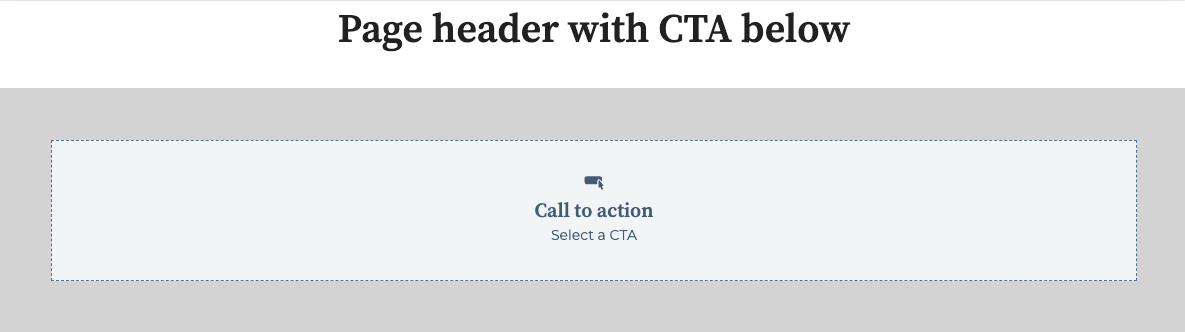
エディターでモジュールのプレースホルダーコンテンツをレンダリングするには、モジュールフィールドにデフォルトのコンテンツを追加するか、`editor_placeholder` HubLタグを使用します。これは、モジュールにデフォルトのコンテンツがない、デフォルトのコンテンツが不要、またはモジュール開発を効率化するといった場合に役立ちます。

<Frame>
  <img src="https://www.hubspot.jp/hubfs/Knowledge_Base_2023_2024/editor-placeholder-appearance-example-2.png" alt="モジュールのプレースホルダーコンテンツ" />
</Frame>

エディターでコンテンツが選択されていない場合にカスタムモジュールにエディターのプレースホルダーを追加するには、まず、[if文](/cms/reference/hubl/if-statements)をモジュールのHTMLに追加して、プレースホルダーをレンダリングします。例えば、次のコードを使用して、エディターのプレースホルダーをCTAモジュールに追加できます。

```hubl theme={null}
{% if module.label %}
   {% cta guid="{{ module.guid }}" label="my_cta" %}
{% elif is_in_editor %}
  {% editor_placeholder %}
{% endif %}
```

<Info>
  最初の`if`文は、モジュールが存在するかどうかを識別します。次に、 `elif`文は、
  `is_in_editor`変数を使用して、モジュールがエディターのコンテキストでレンダリングされているかどうかを識別します。この変数は、コンテンツが任意のコンテンツエディターでレンダリングされている場合に`true`を返しますが、
  他の [アプリ内エディターおよびプレビュー
  変数](/cms/reference/hubl/variables#in-app-editor-and-preview-variables)を使用してより具体的に指定することもできます。
</Info>

次に、モジュールの`meta.json`ファイルでプレースホルダーコンテンツを定義します。

```json theme={null}
{
  "global": false,
  "host_template_types": ["PAGE"],
  "module_id": 62170380654,
  "is_available_for_new_content": true,
  "placeholder": {
    "show_module_icon": true,
    "title": "Call to action",
    "description": "Select a CTA"
  }
}
```

| パラメーター             | タイプ  | 説明                   |
| ------------------ | ---- | -------------------- |
| `show_module_icon` | ブール値 | モジュールのアイコンを表示するかどうか。 |
| `title`            | 文字列  | プレースホルダーに表示するタイトル。   |
| `description`      | 文字列  | プレースホルダーに表示する説明。     |

## フレキシブルカラム

フレキシブルカラムはテンプレート内の垂直カラムで、制作担当者は[コンテンツエディター](https://knowledge.hubspot.com/ja/website-pages/edit-page-content-in-a-drag-and-drop-area)を使用して、ページでモジュールを挿入および削除することができます。HubLでフレキシブルカラムをコーディングするとき、他のHubLモジュールを選択してラップし、デフォルトでフレキシブルカラムに表示されるように設定できます。以下のサンプルコードで、基本構文、およびリッチテキストとフォームモジュールをデフォルトのコンテンツとして含むフレキシブルカラムの例を示します。

フレキシブルカラムはページテンプレートにのみ追加できます。ブログやEメールテンプレートには追加できません。モジュールにフレキシブルカラムを含めることはできませんが、同様の機能を提供する[反復可能なフィールドとグループ](/cms/reference/fields/module-theme-fields#repeaters)を含めることはできます。

<CodeGroup>
  ```text 入力.txt theme={null}
  {% widget_container "my_flexible_column" label="My flex column"%}
  {% module "rich_text" path="@hubspot/rich_text" %}
  {% module "linked_image" path="@hubspot/linked_image" %}
  {% end_widget_container %}
  ```

  ```text 出力.txt theme={null}
  <span
  id="hs_cos_wrapper_my_flexible_column"
  class="hs_cos_wrapper hs_cos_wrapper_widget_container hs_cos_wrapper_type_widget_container"
  style=""
  data-hs-cos-general-type="widget_container"
  data-hs-cos-type="widget_container"
  ><div
  id="hs_cos_wrapper_rich_text"
  class="hs_cos_wrapper hs_cos_wrapper_widget hs_cos_wrapper_type_module"
  style=""
  data-hs-cos-general-type="widget"
  data-hs-cos-type="module"
  >
  <span
  id="hs_cos_wrapper_rich_text_"
  class="hs_cos_wrapper hs_cos_wrapper_widget hs_cos_wrapper_type_rich_text"
  style=""
  data-hs-cos-general-type="widget"
  data-hs-cos-type="rich_text"
  ><h2>Something Powerful</h2>
  <h3>Tell The Reader More</h3>
  <p>
  The headline and subheader tells us what you're
  <a href="#">offering</a>, and the form header closes the deal. Over here
  you can explain why your offer is so great it's worth filling out a form
  for.
  </p>
  <p>Remember:</p>
  <ul>
  <li>Bullets are great</li>
  <li>For spelling out <a href="#">benefits</a> and</li>
  <li>Turning visitors into leads.</li>
  </ul></span
  >
  </div>
  <div
  id="hs_cos_wrapper_linked_image"
  class="hs_cos_wrapper hs_cos_wrapper_widget hs_cos_wrapper_type_module"
  style=""
  data-hs-cos-general-type="widget"
  data-hs-cos-type="module"
  >
  <span
  id="hs_cos_wrapper_linked_image_"
  class="hs_cos_wrapper hs_cos_wrapper_widget hs_cos_wrapper_type_linked_image"
  style=""
  data-hs-cos-general-type="widget"
  data-hs-cos-type="linked_image"
  ><img
  src="https://static.hubspot.com/final/img/content/email-template-images/placeholder_200x200.png"
  class="hs-image-widget "
  style="width:200px;border-width:0px;border:0px;"
  width="200"
  alt="placeholder_200x200"
  title="placeholder_200x200"
  /></span></div
  ></span>
  ```
</CodeGroup>

<Warning>
  ### 注：

  このタグを使用する場合、コンテンツエディターで機能するように、`label`はフレキシブルカラムの`name`値に従う必要があります。例えば、次の構文は無効です。

  `[% widget_container label="My label" "my_flexible_column" %}`
</Warning>

## フォーム

ユーザーがHubSpotフォームを選択してページに追加できるようにします。以下のコードに、標準HubLタグ構文の使用例と[ブロック構文](/cms/reference/modules/using-modules-in-templates#block-syntax)の使用例が含まれています。

<CodeGroup>
  ```text 入力.txt theme={null}
  {% form "my_form"
  form_to_use="{formID}",
  title="Free Trial"
  %}

  <!-- Block syntax example -->
  {% module_block form "my_form"
  form_follow_ups_follow_up_type="",
  form_to_use="9e633e9f-0634-498e-917c-f01e355e83c6",
  title="Free Trial",
  notifications_are_overridden=True,
  response_message="Thanks for submitting the form.",
  response_type="inline",
  overrideable=True,
  gotowebinar_webinar_key="",
  webinar_id="",
  webinar_source"",
  label="Form"
  %}
  {% module_attribute "notifications_override_email_addresses" is_json=True %}
  ["email_address@website.com"]
  {% end_module_attribute %}
  {% end_module_block %}
  ```

  ```text 出力.txt theme={null}
  <div
  id="hs_cos_wrapper_my_form"
  class="hs_cos_wrapper hs_cos_wrapper_widget hs_cos_wrapper_type_form"
  style=""
  data-hs-cos-general-type="widget"
  data-hs-cos-type="form"
  >
  <h3
  id="hs_cos_wrapper_module_13885064832664947_title"
  class="hs_cos_wrapper form-title"
  data-hs-cos-general-type="widget_field"
  data-hs-cos-type="text"
  >
  Free Trial
  </h3>
  <div id="hs_form_target_module_13885064832664947">
  <form
  accept-charset="UTF-8"
  enctype="multipart/form-data"
  id="hsForm_08bd9f0d-3be9-41c2-93b6-231a3a71b143_6756"
  class="hs-form stacked hs-custom-form"
  action="https://forms.hubspot.com/uploads/form/v2/158015/08bd9f0d-3be9-41c2-93b6-231a3a71b143"
  method="POST"
  novalidate="novalidate"
  >
  <div class="hs_lastname field hs-form-field">
  <label
  placeholder="Enter your Last Name"
  for="lastname-08bd9f0d-3be9-41c2-93b6-231a3a71b143_6756"
  >Last Name</label
  >
  <div class="hs-field-desc" style="display: none;"></div>
  <div class="input">
  <input
  class="hs-input"
  type="text"
  id="lastname-08bd9f0d-3be9-41c2-93b6-231a3a71b143_6756"
  name="lastname"
  value=""
  placeholder=""
  />
  </div>
  </div>
  <div class="hs_firstname field hs-form-field">
  <label
  placeholder="Enter your First Name"
  for="firstname-08bd9f0d-3be9-41c2-93b6-231a3a71b143_6756"
  >First Name</label
  >
  <div class="hs-field-desc" style="display: none;"></div>
  <div class="input">
  <input
  class="hs-input"
  type="text"
  id="firstname-08bd9f0d-3be9-41c2-93b6-231a3a71b143_6756"
  name="firstname"
  value=""
  placeholder=""
  />
  </div>
  </div>
  <div class="hs_email field hs-form-field">
  <label
  placeholder="Enter your Email"
  for="email-08bd9f0d-3be9-41c2-93b6-231a3a71b143_6756"
  >Email<span class="hs-form-required"> * </span></label
  >
  <div class="hs-field-desc" style="display: none;"></div>
  <div class="input">
  <input
  class="hs-input"
  type="email"
  required="required"
  id="email-08bd9f0d-3be9-41c2-93b6-231a3a71b143_6756"
  name="email"
  value=""
  placeholder=""
  />
  </div>
  </div>
  <div class="hs_submit">
  <div class="hs-field-desc" style="display: none;"></div>
  <div class="actions">
  <input class="hs-button primary large" type="submit" value="Submit" />
  </div>
  </div>
  </form>
  </div>
  <script charset="utf-8" src="//js.hsforms.net/forms/current.js"></script>
  <script>
  hbspt.forms.create({
  portalId: '123456',
  formId: '{formID}',
  formInstanceId: '6756',
  pageId: 1,
  redirectUrl: 'http:\/\/www.hubspot.com\/',
  deactivateSmartForm: true,
  css: '',
  target: '#hs_form_target_module_13885064832664947',
  contentType: 'landing-page',
  formData: {
  cssClass: 'hs-form stacked hs-custom-form',
  },
  });
  </script>
  </div>
  ```
</CodeGroup>

| パラメーター                                   | タイプ  | 説明                                                                                                                                                                                                                                                                                                                                                                                                                                   |
| ---------------------------------------- | ---- | ------------------------------------------------------------------------------------------------------------------------------------------------------------------------------------------------------------------------------------------------------------------------------------------------------------------------------------------------------------------------------------------------------------------------------------ |
| `form_key`                               | 文字列  | ページレベルでのフォームの固有IDを指定します。                                                                                                                                                                                                                                                                                                                                                                                                             |
| `form_to_use`                            | 文字列  | デフォルトで読み込むフォームをフォームIDに基づいて指定します。このIDは各フォームのフォームエディターURLで確認できます。                                                                                                                                                                                                                                                                                                                                                                      |
| `title`                                  | 文字列  | フォームの上に`h3`ヘッダータグを設定します。                                                                                                                                                                                                                                                                                                                                                                                                             |
| `no_title`                               | ブール値 | `True`の場合、タイトルの上のh3タグは削除されます。                                                                                                                                                                                                                                                                                                                                                                                                        |
| `form_follow_ups_follow_up_type`         | 列挙   | ワークフローへのコンタクトの登録や、シンプルなフォローアップEメールの送信などの、フォローアップアクションを指定します。指定可能な値は、`no_action`、`simple`、および`automation`です。                                                                                                                                                                                                                                                                                                                          |
| `simple_email_for_live_id`               | 数値   | 公開ページ用のシンプルなフォローアップEメールのIDを指定します。                                                                                                                                                                                                                                                                                                                                                                                                    |
| `simple_email_for_buffer_id`             | 数値   | ページの自動保存バージョン用のシンプルなフォローアップEメールのIDを指定します。                                                                                                                                                                                                                                                                                                                                                                                            |
| `follow_up_type_simple`                  | ブール値 | trueの場合、シンプルなフォローアップEメールを有効にします。`form_follow_ups_follow_up_type`の代替です。                                                                                                                                                                                                                                                                                                                                                               |
| `follow_up_type_automation`              | ブール値 | trueの場合、ワークフローに送信を登録します。`form_follow_ups_follow_up_type`の代替です。                                                                                                                                                                                                                                                                                                                                                                       |
| `simple_email_campaign_id`               | 数値   | シンプルなフォローアップEメールのIDを指定します。`simple_email_for_live_id`の代替です。                                                                                                                                                                                                                                                                                                                                                                           |
| `form_follow_ups_workflow_id`            | 数値   | 送信を登録するワークフローのIDを指定します。                                                                                                                                                                                                                                                                                                                                                                                                              |
| `response_redirect_url`                  | 文字列  | 外部ページにリダイレクトする場合、このパラメーターはリダイレクト先のURLを指定します。                                                                                                                                                                                                                                                                                                                                                                                         |
| `response_redirect_id`                   | 数値   | HubSpot上にホスティングされているページにリダイレクトする場合、このパラメーターにはそのページのページIDを指定します。ページIDは各ページのページエディターURLで確認できます。                                                                                                                                                                                                                                                                                                                                        |
| `response_response_type`                 | 列挙   | 送信時に別のページにリダイレクトするか、インラインのサンキューメッセージを表示するかを指定します。このパラメーターの値は、`"redirect"`または`"inline"`（デフォルト）にする必要があります。                                                                                                                                                                                                                                                                                                                             |
| `response_message`                       | 文字列  | インラインのサンキューメッセージを設定します。このパラメーターではHTMLがサポートされます。                                                                                                                                                                                                                                                                                                                                                                                      |
| `notifications_are_overridden`           | ブール値 | `True`に設定した場合、フォームのデフォルトの設定ではなく、`notifications_override_email_addresses`パラメーターで選択されたEメールアドレスにフォーム通知が送信されます。デフォルト値は`False`です。                                                                                                                                                                                                                                                                                                         |
| `notifications_override_guid_buffer`     | 文字列  | ページの自動保存バージョンの優先設定のID。                                                                                                                                                                                                                                                                                                                                                                                                               |
| `notifications_override_guid`            | 文字列  | ページの公開バージョンの優先設定のID。                                                                                                                                                                                                                                                                                                                                                                                                                 |
| `notifications_override_email_addresses` | JSON | ブロック構文では、フォーム送信時に通知されるEメール受信者のJSONリストがサポートされます。これらのEメールアドレスは、フォームで設定されたEメール通知設定よりも優先されます。                                                                                                                                                                                                                                                                                                                                            |
| `sfdc_campaign`                          | 文字列  | フォームを送信したコンタクトを登録するSalesforceキャンペーンを指定します。このパラメーターの値はSFDCキャンペーンIDであり、[Salesforceと連携](https://knowledge.hubspot.com/ja/salesforce/install-the-hubspot-salesforce-integration)されたアカウントでのみ使用できます。                                                                                                                                                                                                                                       |
| `gotowebinar_webinar_key`                | 文字列  | フォームを送信した後にコンタクトを登録するGoToWebinarウェビナーを指定します。[GoToWebinar連携](https://knowledge.hubspot.com/ja/integrations/use-the-gotowebinar-integration-with-hubspot)を使用しているアカウントにのみ使用できます。                                                                                                                                                                                                                                                        |
| `webinar_id`                             | 文字列  | フォームを送信した後にコンタクトを登録するMicrosoft TeamsまたはGoToWebinarウェビナーのIDを指定する、より一般的なフィールドです。[GoToWebinar](https://knowledge.hubspot.com/ja/integrations/use-the-gotowebinar-integration-with-hubspot)または[Microsoft Teams](https://knowledge.hubspot.com/ja/integrations/connect-hubspot-and-microsoft-teams)連携を使用しているアカウントであり、[フォームフィールド定義](/cms/reference/fields/module-theme-fields#form)で`support_all_webinar_types`が`true`に設定されている場合にのみ使用できます。 |
| `webinar_source`                         | 文字列  | 連携アプリのID。GoToWebinar（`35161`）またはMicrosoft Teams（`221635`）のいずれかです。                                                                                                                                                                                                                                                                                                                                                                    |

## フッター

アカウントの[マーケティングEメール設定](https://knowledge.hubspot.com/ja/marketing-email/edit-office-location-information-in-email-footers#edit-your-default-email-footer-information-in-your-settings)で指定された年と会社名を使用して著作権情報をレンダリングします。

<CodeGroup>
  ```text 入力.txt theme={null}
  {% page_footer "page_footer" %}
  ```

  ```text 出力.txt theme={null}
  <span
  id="hs_cos_wrapper_page_footer"
  class="hs_cos_wrapper hs_cos_wrapper_widget hs_cos_wrapper_type_page_footer"
  style=""
  data-hs-cos-general-type="widget"
  data-hs-cos-type="page_footer"
  >
  <footer>
  <span class="hs-footer-company-copyright">© 2020 HubSpot</span>
  </footer>
  </span>
  ```
</CodeGroup>

## ギャラリー

HubSpotギャラリータグを生成します。このギャラリータグは[Slick](http://kenwheeler.github.io/slick/)に基づきます。標準モジュールHubL構文でギャラリーモジュールを作成できますが、HubLを使用してデフォルトのスライドを事前定義する場合はブロック構文を使用する必要があります。両方の方法を以下に示します。ギャラリー画像は、JavaScriptを使用して遅延読み込みされます。

<CodeGroup>
  ```text 入力.txt theme={null}
  {% gallery "crm_gallery" %}

  <-- Block syntax -->
  {% widget_block gallery "Gallery" display_mode="standard" sizing="static", transition="slide", caption_position="below", auto_advance=True, overrideable=True, description_text="", show_pagination=True, label="Gallery", loop_slides=True, num_seconds=5  %}
  {% widget_attribute "slides" is_json=True %}
  [{
  "caption": "CRM Contacts App",
  "show_caption": true,
  "link_url": "http://www.hubspot.com/crm",
  "alt_text": "Screenshot of CRM Contacts",
  "img_src": "http://go.hubspot.com/hubfs/Contacts-View-1.png?t=1430860504240",
  "open_in_new_tab": true
  },
  {
  "caption": "HubSpot CRM Contact Profile",
  "show_caption": true,
  "link_url": "http://www.hubspot.com/",
  "alt_text": "HubSpot CRM Contact Profile",
  "img_src": "http://cdn2.hubspot.net/hubfs/53/Contact-Profile.png?t=1430860504240",
  "open_in_new_tab": true
  }]
  {% end_widget_attribute %}
  {% end_widget_block %}
  ```

  ```text 出力.txt theme={null}
  <span
  id="hs_cos_wrapper_crm_gallery"
  class="hs_cos_wrapper hs_cos_wrapper_widget hs_cos_wrapper_type_gallery"
  style=""
  data-hs-cos-general-type="widget"
  data-hs-cos-type="gallery"
  >
  <div
  id="hs_cos_flex_gallery_crm_gallery"
  class="hs_cos_flex-gallery flex-gallery-main gallery-mode-gallery"
  >
  <div
  class="hs_cos_flex-viewport"
  style="overflow: hidden; position: relative;"
  >
  <ul
  class="hs_cos_flex-slides hs_cos_flex-slides-main "
  style="width: 800%; -webkit-transition-duration: 0s; transition-duration: 0s; -webkit-transform: translate3d(-1090px, 0px, 0px);"
  >
  <li
  class="hs_cos_flex-slide-main clone"
  aria-hidden="true"
  style="width: 1090px; float: left; display: block;"
  >
  <a href="//www.hubspot.com/" target="_blank"
  ><img
  src="//cdn2.hubspot.net/hubfs/53/Contact-Profile.png?t=1430860504240&t=1430335520686"
  alt="HubSpot CRM Contact Profile"
  draggable="false"
  /></a>
  <div class="caption">HubSpot CRM Contact Profile</div>
  </li>
  <li
  class="hs_cos_flex-slide-main hs_cos_flex-active-slide"
  style="width: 1090px; float: left; display: block;"
  >
  <a href="//www.hubspot.com/crm" target="_blank"
  ><img
  src="http://go.hubspot.com/hubfs/Contacts-View-1.png?t=1430860504240&t=1430335520686"
  alt="Screenshot of CRM Contacts"
  draggable="false"
  /></a>
  <div class="caption">CRM Contacts App</div>
  </li>
  <li
  class="hs_cos_flex-slide-main"
  style="width: 1090px; float: left; display: block;"
  >
  <a href="//www.hubspot.com/" target="_blank"
  ><img
  src="//cdn2.hubspot.net/hubfs/53/Contact-Profile.png?t=1430860504240&t=1430335520686"
  alt="HubSpot CRM Contact Profile"
  draggable="false"
  /></a>
  <div class="caption">HubSpot CRM Contact Profile</div>
  </li>
  <li
  class="hs_cos_flex-slide-main clone"
  aria-hidden="true"
  style="width: 1090px; float: left; display: block;"
  >
  <a href="//www.hubspot.com/crm" target="_blank"
  ><img
  src="http://go.hubspot.com/hubfs/Contacts-View-1.png?t=1430860504240&t=1430335520686"
  alt="Screenshot of CRM Contacts"
  draggable="false"
  /></a>
  <div class="caption">CRM Contacts App</div>
  </li>
  </ul>
  </div>
  <ol class="hs_cos_flex-control-nav hs_cos_flex-control-paging">
  <li><a class="hs_cos_flex-active">1</a></li>
  <li><a class="">2</a></li>
  </ol>
  <ul class="hs_cos_flex-direction-nav">
  <li><a class="hs_cos_flex-prev" href="#">Previous</a></li>
  <li><a class="hs_cos_flex-next" href="#">Next</a></li>
  </ul>
  </div>
  <script>
  window.hsSliderConfig = window.hsSliderConfig || {};
  window.hsSliderConfig['crm_gallery'] = {
  mode: 'gallery',
  mainConfig: {
  animationLoop: true,
  direction: 'horizontal',
  slideshowSpeed: 5000.0,
  controlNav: true,
  smoothHeight: false,
  namespace: 'hs_cos_flex-',
  slideshow: true,
  selector: '.hs_cos_flex-slides > li',
  animation: 'slide',
  },
  };
  </script></span
  >
  ```
</CodeGroup>

| パラメーター             | タイプ  | 説明                                                                               | デフォルト値       |
| ------------------ | ---- | -------------------------------------------------------------------------------- | ------------ |
| `slides`           | JSON | デフォルトのキャプション、リンクURL、代替テキスト、画像srcと、新しいタブで開くかどうかを指定する値のJSONリスト。上記のブロック構文を参照してください。 |              |
| `loop_slides`      | ブール値 | Trueの場合、複数スライドを連続してループ処理します。                                                     | `True`       |
| `num_seconds`      | 数値   | スライド間で一時停止する時間（秒数）。                                                              | `5`          |
| `show_pagination`  | ブール値 | スライダーの下にスライド間を移動するためのボタンを表示します。                                                  | `True`       |
| `sizing`           | 列挙   | スライドの高さに基づいてスライダーのサイズを変更するかどうかを指定します。指定可能な値は、"static"または"resize"です。              | `"static"`   |
| `auto_advance`     | ブール値 | num\_secondsで設定された時間が経過すると、自動的にスライドを進めます。                                        | `False`      |
| `transition`       | 列挙   | スライド切り替えのタイプを設定します。指定可能な値は、"fade"または"slide"です。                                   | `"slide"`    |
| `caption_position` | 列挙   | キャプションの位置（スライド上に重ねるか、スライドの下に配置）を制御します。指定可能な値は、"below"または"superimpose"です。         | `"below"`    |
| `display_mode`     | 列挙   | 画像ギャラリーの表示方法を指定します。指定可能な値は、"standard"、"lightbox"、"thumbnail"です。                  | `"standard"` |
| `lightboxRows`     | 数値   | display\_modeが"lightbox"に設定されている場合に、このパラメーターはLightbox内に表示される行数を制御します。            | `3`          |

## ヘッダー

テキストをh1～h6タグとしてレンダリングするヘッダーモジュールを生成します。

<CodeGroup>
  ```text 入力.txt theme={null}
  {% header "header"  %}
  {% header "my_header" header_tag="h1", overrideable=True, value="A clear and bold header", label="Header" %}
  ```

  ```text 出力.txt theme={null}
  <span
  id="hs_cos_wrapper_my_header"
  class="hs_cos_wrapper hs_cos_wrapper_widget hs_cos_wrapper_type_header"
  style=""
  data-hs-cos-general-type="widget"
  data-hs-cos-type="header"
  >
  <h1>A clear and bold header</h1>
  </span>
  ```
</CodeGroup>

| パラメーター       | タイプ | 説明                                               | デフォルト値                  |
| ------------ | --- | ------------------------------------------------ | ----------------------- |
| `header_tag` | 文字列 | レンダリングする見出しタグを選択します。指定可能な値は、h1、h2、h3、h4、h5、h6です。 | `h1`                    |
| `value`      | 文字列 | 見出しモジュール内にデフォルトのテキストをレンダリングします。                  | `"A clear bold header"` |

## アイコン

アイコンタグを追加してユーザーが選択できるようにし、使用するアイコンを追加します。サポートされているアイコンセットは、FontAwesome [5.0.10](https://github.com/FortAwesome/Font-Awesome/releases/tag/5.0.10)、[5.14.0](https://github.com/FortAwesome/Font-Awesome/releases/tag/5.14.0)、[6.および4.2](https://github.com/FortAwesome/Font-Awesome/releases/tag/6.4.2)です。

このタグは、Eメールで有効になっているモジュールでは使用できません。

<CodeGroup>
  ```text 入力.txt theme={null}
  {% icon
  name="Accessible Icon"
  style="REGULAR"
  unicode="f368"
  icon_set="fontawesome-5.14.0"
  purpose="decorative"
  title="Accessible Icon"
  %}
  ```

  ```text 出力.txt theme={null}
  <span
  id="hs_cos_wrapper_module_42549274798_"
  class="hs_cos_wrapper hs_cos_wrapper_widget hs_cos_wrapper_type_icon"
  style=""
  data-hs-cos-general-type="widget"
  data-hs-cos-type="icon"
  >
  <svg
  version="1.0"
  xmlns="http://www.w3.org/2000/svg"
  viewBox="0 0 448 512"
  aria-hidden="true"
  >
  <g id="layer1">
  <path
  d="M423.9 255.8L411 413.1c-3.3 40.7-63.9 35.1-60.6-4.9l10-122.5-41.1 2.3c10.1 20.7 15.8 43.9 15.8 68.5 0 41.2-16.1 78.7-42.3 106.5l-39.3-39.3c57.9-63.7 13.1-167.2-74-167.2-25.9 0-49.5 9.9-67.2 26L73 243.2c22-20.7 50.1-35.1 81.4-40.2l75.3-85.7-42.6-24.8-51.6 46c-30 26.8-70.6-18.5-40.5-45.4l68-60.7c9.8-8.8 24.1-10.2 35.5-3.6 0 0 139.3 80.9 139.5 81.1 16.2 10.1 20.7 36 6.1 52.6L285.7 229l106.1-5.9c18.5-1.1 33.6 14.4 32.1 32.7zm-64.9-154c28.1 0 50.9-22.8 50.9-50.9C409.9 22.8 387.1 0 359 0c-28.1 0-50.9 22.8-50.9 50.9 0 28.1 22.8 50.9 50.9 50.9zM179.6 456.5c-80.6 0-127.4-90.6-82.7-156.1l-39.7-39.7C36.4 287 24 320.3 24 356.4c0 130.7 150.7 201.4 251.4 122.5l-39.7-39.7c-16 10.9-35.3 17.3-56.1 17.3z"
  ></path>
  </g>
  </svg>
  </span>
  ```
</CodeGroup>

| パラメーター     | タイプ | 説明                                                                                                                                                                                              | デフォルト値       |
| ---------- | --- | ----------------------------------------------------------------------------------------------------------------------------------------------------------------------------------------------- | ------------ |
| `name`     | 文字列 | アイコンの名前。                                                                                                                                                                                        |              |
| `style`    | 文字列 | アイコンのスタイル。指定可能な値は`REGULAR`または`SOLID`です。                                                                                                                                                         | `REGULAR`    |
| `unicode`  | 文字列 | アイコンのUnicode文字表現。                                                                                                                                                                               |              |
| `icon_set` | 文字列 | 使用するFontAwesomeアイコンセット。次の値を指定できます。<ul><li>`fontawesome-5.14.0` </li><li>`fontawesome-5.0.10`</li><li>`fontawesome-6.4.2`</li></ul>                                                              |              |
| `purpose`  | 文字列 | アイコンの目的。[アクセシビリティー](https://docs.fontawesome.com/v5/web/other-topics/accessibility)を確保するために使用します。指定可能な値は、`decorative`または`semantic`です。`decorative`に設定した場合、さらに`aria-hidden="true"`属性がアイコンに追加されます。 | `decorative` |
| `title`    | 文字列 | アイコンのsvgのタイトル要素と、そのタイトルを指す`labelledby`属性。                                                                                                                                                       |              |

## 画像

ユーザーがコンテンツエディターから画像を選択できる画像タグを作成します。画像をターゲットURLにリンクする場合は、下記のlinked\_imageを使用する必要があります。

<CodeGroup>
  ```text 入力.txt theme={null}
  {% image "image" %}
  {% image "executive_image" label="Executive photo", alt="Photo of Brian Halligan", src="//cdn2.hubspot.net/hub/53/file-733888619-jpg/assets/hubspot.com/about/management/brian-home.jpg", width="300" %}
  ```

  ```text 出力.txt theme={null}
  <span
  id="hs_cos_wrapper_executive_image"
  class="hs_cos_wrapper hs_cos_wrapper_widget hs_cos_wrapper_type_image"
  style=""
  data-hs-cos-general-type="widget"
  data-hs-cos-type="image"
  >
  <img
  src="//cdn2.hubspot.net/hub/53/file-733888619-jpg/assets/hubspot.com/about/management/brian-home.jpg?width=300"
  class="hs-image-widget "
  width="300"
  alt="Photo of Brian Halligan"
  title="Photo of Brian Halligan"
  />
  </span>
  ```
</CodeGroup>

| パラメーター    | タイプ | 説明                                                                                                           | デフォルト値                    |
| --------- | --- | ------------------------------------------------------------------------------------------------------------ | ------------------------- |
| `alt`     | 文字列 | 画像のデフォルトの代替テキストを設定します。                                                                                       |                           |
| `src`     | 文字列 | imgタグのsrc属性を設定します。                                                                                           |                           |
| `width`   | 数値  | imgタグのwidth属性を設定します。                                                                                         | `The width of the image`  |
| `height`  | 数値  | imgタグのstyle属性でmin-heightを設定します（**Eメールテンプレートのみ**）。                                                            | `The height of the image` |
| `hspace`  | 数値  | imgタグのhspace属性を設定します。                                                                                        |                           |
| `align`   | 文字列 | imgタグのalign属性を設定します。指定可能な値は、left、right、centerです。                                                             |                           |
| `style`   | 文字列 | imgタグにインラインCSS宣言を追加します。例えば、style="border:1px solid blue; margin:10pxのようになります。                                |                           |
| `loading` | 文字列 | img要素のloading属性を制御します。[ブラウザーベースの遅延読み込みに使用](/cms/best-practices/testing-staging-performance/lazy-loading)します。 |                           |

## 画像のsrc

コンテンツエディター上に画像セレクターを作成する画像srcモジュールでは、imgタグの出力ではなく、画像のURLがレンダリングされます。画像srcをインラインCSSや他のマークアップに追加できるように、このタグは通常、`no_wrapper=True`パラメーターを指定して使用します。このタグの代用としては、[`export_to_template_context`](/cms/reference/modules/export-to-template-context)パラメーターを使用する方法があります。

<CodeGroup>
  ```text 入力.txt theme={null}
  {% image_src "image_src" %}
  {% image_src "executve_image_src" src="//cdn2.hubspot.net/hub/53/file-733888614-jpg/assets/hubspot.com/about/management/dharmesh-home.jpg", no_wrapper=True %}
  ```

  ```text 出力.txt theme={null}
  //cdn2.hubspot.net/hub/53/file-733888614-jpg/assets/hubspot.com/about/management/dharmesh-home.jpg
  ```
</CodeGroup>

| パラメーター | タイプ | 説明                     |
| ------ | --- | ---------------------- |
| `src`  | 文字列 | デフォルトのURL画像のsrcを指定します。 |

## 言語切り替え機能

特定CMSページの翻訳版へのリンクが付いた地球儀アイコンを追加します。[多言語コンテンツの詳細についてはこちら](https://knowledge.hubspot.com/ja/website-and-landing-pages/create-pages-in-multiple-languages)をご参照ください。

<CodeGroup>
  ```text 入力.txt theme={null}
  {% language_switcher "language_switcher" overrideable=false, display_mode="localized", label="Language Switcher" %}
  ```

  ```text 出力.txt theme={null}
  <span
  id="hs_cos_wrapper_module_1487954976079503"
  class="hs_cos_wrapper hs_cos_wrapper_widget hs_cos_wrapper_type_language_switcher"
  style=""
  data-hs-cos-general-type="widget"
  data-hs-cos-type="language_switcher"
  >
  <div class="lang_switcher_class">
  <div class="globe_class">
  <ul class="lang_list_class">
  <li>
  <a class="lang_switcher_link" href="http://www.hubspot.com"
  >English</a
  >
  </li>
  <li>
  <a class="lang_switcher_link" href="http://www.hubspot.com/es"
  >Spanish</a
  >
  </li>
  </ul>
  </div>
  </div>
  </span>
  ```
</CodeGroup>

| パラメーター         | タイプ | 説明                                                                                                                                                                      | デフォルト値      |
| -------------- | --- | ----------------------------------------------------------------------------------------------------------------------------------------------------------------------- | ----------- |
| `display_mode` | 列挙  | 言語切り替え機能のテキストの言語。値は以下の通りです。<ul><li>`Pagelang`：各言語の名前は、言語切り替え機能が有効になっているページの言語で表示されます。</li><li>`Localized`：各言語の名前は、その言語で表示されます。</li><li>`Hybrid`：上記2つの組み合わせです。</li></ul> | `Localized` |

## 画像リンク

リンクでラップされた、ユーザーが選択可能な画像を作成します。このタグには、画像モジュールの全てのパラメーターおよび2つの追加パラメーターが含まれます。追加パラメーターには、リンク先URL、およびリンクを新しいウィンドウで開くかどうかを指定します。

<CodeGroup>
  ```text 入力.txt theme={null}
  {% linked_image "linked_image" %}
  {% linked_image "executive_image"
  label="Executive photo",
  link="https://twitter.com/bhalligan", \
  open_in_new_tab=True,
  alt="Photo of Brian Halligan",
  src="//cdn2.hubspot.net/hub/53/file-733888619-jpg/assets/hubspot.com/about/management/brian-home.jpg", width="300"
  %}
  ```

  ```text 出力.txt theme={null}
  <span
  id="hs_cos_wrapper_executive_image"
  class="hs_cos_wrapper hs_cos_wrapper_widget hs_cos_wrapper_type_linked_image"
  style=""
  data-hs-cos-general-type="widget"
  data-hs-cos-type="linked_image"
  >
  <a
  href="https://twitter.com/bhalligan"
  target="_blank"
  id="hs-link-executive_image"
  style="border-width:0px;border:0px;"
  >
  <img
  src="//cdn2.hubspot.net/hub/53/file-733888619-jpg/assets/hubspot.com/about/management/brian-home.jpg?width=300"
  class="hs-image-widget "
  style="width:300px;border-width:0px;border:0px;"
  width="300"
  alt="Photo of Brian Halligan"
  title="Photo of Brian Halligan"
  />
  </a>
  </span>
  ```
</CodeGroup>

| パラメーター            | タイプ  | 説明                                                                                                           | デフォルト値                    |
| ----------------- | ---- | ------------------------------------------------------------------------------------------------------------ | ------------------------- |
| `alt`             | 文字列  | 画像のデフォルトの代替テキストを設定します。                                                                                       |                           |
| `src`             | 文字列  | imgタグのsrc属性を設定します。                                                                                           |                           |
| `width`           | 数値   | imgタグのwidth属性を設定します。                                                                                         | `The width of the image`  |
| `height`          | 数値   | imgタグのstyle属性でmin-heightを設定します（**Eメールテンプレートのみ**）。                                                            | `The height of the image` |
| `hspace`          | 数値   | imgタグのhspace属性を設定します。                                                                                        |                           |
| `align`           | 文字列  | imgタグのalign属性を設定します。指定可能な値は、left、right、centerです。                                                             |                           |
| `style`           | 文字列  | imgタグにインラインCSS宣言を追加します。例えば、style="border:1px solid blue; margin:10pxのようになります。                                |                           |
| `open_in_new_tab` | ブール値 | リンク先URLを別のタブで開くかどうかを選択します。                                                                                   | `False`                   |
| `link`            | 文字列  | imgタグをラップするリンクの宛先URLを設定します。                                                                                  |                           |
| `target`          | 文字列  | リンクタグのtarget属性を設定します。                                                                                        |                           |
| `loading`         | 文字列  | img要素のloading属性を制御します。[ブラウザーベースの遅延読み込みに使用](/cms/best-practices/testing-staging-performance/lazy-loading)します。 |                           |

## ロゴ

ロゴタグは、アカウントの[ブランドキット設定](https://knowledge.hubspot.com/ja/branding/edit-your-logo-favicon-and-brand-colors#edit-your-logo)で指定されている会社のロゴをレンダリングします。

<CodeGroup>
  ```text 入力.txt theme={null}
  {% logo "logo" %}
  {% logo "my_logo" width="200" %}
  ```

  ```text 出力.txt theme={null}
  <span
  id="hs_cos_wrapper_my_logo"
  class="hs_cos_wrapper hs_cos_wrapper_widget hs_cos_wrapper_type_logo"
  style=""
  data-hs-cos-general-type="widget"
  data-hs-cos-type="logo"
  >
  <a href="//www.hubspot.com" id="hs-link-my_logo">
  <img
  src="//cdn2.hubspot.net/hub/53/file-1237149549-png/assets/hubspot.com/V2-Global/hubspot-logo-dark.png?t=1430948896766&width=200"
  class="hs-image-widget "
  width="200"
  alt="HubSpot logo"
  title="HubSpo logot"
  />
  </a>
  </span>
  ```
</CodeGroup>

| パラメーター                   | タイプ  | 説明                                                                                                      | デフォルト値                        |
| ------------------------ | ---- | ------------------------------------------------------------------------------------------------------- | ----------------------------- |
| `alt`                    | 文字列  | 画像のデフォルトの代替テキストを設定します。                                                                                  | `Value in brand kit settings` |
| `src`                    | 文字列  | imgタグのsrc属性を設定します。                                                                                      | `Value in brand kit settings` |
| `link`                   | 文字列  | imgタグをラップするリンクの宛先URLを設定します。                                                                             |                               |
| `width`                  | 数値   | imgタグのwidth属性を設定します。                                                                                    | `The width of the image`      |
| `height`                 | 数値   | imgタグのstyle属性でmin-heightを設定します（**Eメールテンプレートのみ**）。                                                       | `The height of the image`     |
| `hspace`                 | 数値   | `img`タグのhspace属性を設定します。                                                                                 |                               |
| `align`                  | 文字列  | `img`タグのalign属性を設定します。指定可能な値は、`left`、`right`、および`center`です。                                             |                               |
| `style`                  | 文字列  | imgタグにインラインCSS宣言を追加します。例：`style="border:1px solid blue; margin:10px"`                                   |                               |
| `suppress_company_name`  | ブール値 | 画像ロゴが設定されていない場合に会社名を非表示にします。                                                                            | `False`                       |
| `use_account_default`    | ブール値 | アカウントのデフォルトの設定で指定された会社名を使用する場合は、`true`に設定します。                                                           | `False`                       |
| `open_in_new_tab`        | ブール値 | リンク先URLを別のタブで開くかどうかを選択します。                                                                              | `False`                       |
| `override_inherited_src` | ブール値 | `true`に設定した場合、srcは設定またはテンプレートから継承されず、ロゴウィジェットのsrcが使用されます。                                               | `True`                        |
| `heading_level`          | 文字列  | リンクが設定されていないテキストベースのロゴを使用する場合、HTMLタグ`h1`、`h2`、`h3`、`h4`のいずれかがテキストベースのロゴに適用されます。                         | `h1`                          |
| `loading`                | 文字列  | [ブラウザーベースの遅延読み込みで、img要素のloading属性を制御します。](/cms/best-practices/testing-staging-performance/lazy-loading) |                               |

## メニュー

［コンテンツ設定］＞［詳細メニュー］のメニューツリーに基づいて詳細メニューを生成します\*\*。\*\*[テンプレート](https://developers.hubspot.jp/docs/cms/start-building/building-blocks/templates/overview)および[モジュール](https://developers.hubspot.jp/docs/cms/start-building/building-blocks/modules/overview)でのメニューの使用に関する詳細については、[メニューとナビゲーション](/cms/start-building/building-blocks/modules/menus-and-navigation)を参照してください。`id`が`null`に設定された場合、メニュータグはHubSpotアカウントのデフォルトのメニューをレンダリングします。

<CodeGroup>
  ```text 入力.txt theme={null}
  {% menu "menu" %}
  {% menu "my_menu"
  id=456,
  site_map_name="Default",
  overrideable=False,
  root_type="site_root",
  flyouts="true",
  max_levels="2",
  flow="horizontal",
  label="Advanced Menu"
  %}
  ```

  ```text 出力.txt theme={null}
  <div id="hs_menu_wrapper_my_menu" class="hs-menu-wrapper active-branch flyouts hs-menu-flow-horizontal" data-sitemap-name="Default">
  <ul>
  <li class="hs-menu-item hs-menu-depth-1"><a href="http://www.husbpot.com/Software">Software</a></li>
  <li class="hs-menu-item hs-menu-depth-1"><a href="http://www.hubspot.com/pricing">Pricing</a></li>
  <li class="hs-menu-item hs-menu-depth-1"><a href="http://www.hubspot.com/resources">Resources</a></li>
  <li class="hs-menu-item hs-menu-depth-1"><a href="http://www.hubspot.com/contact">Contact</a></li>
  </ul>
  </div>
  </span>
  ```
</CodeGroup>

| パラメーター          | タイプ | 説明                                                                                                                                                                       | デフォルト値         |
| --------------- | --- | ------------------------------------------------------------------------------------------------------------------------------------------------------------------------ | -------------- |
| `id`            | 数値  | コンテンツ設定の詳細メニューのメニューツリーのID。                                                                                                                                               |                |
| `site_map_name` | 文字列 | コンテンツ設定の詳細メニューのメニューツリーの名前。                                                                                                                                               | `"default"`    |
| `root_type`     | 列挙  | 詳細メニューのタイプを指定します。使用可能な値は、site\_root、top\_parent、"parent"、page\_name、page\_id、および"breadcrumb"です。これらの値は、静的、セクション別の動的、ページ別の動的、階層リンクに対応します。                                  | `"site_root"`  |
| `flyouts`       | 文字列 | trueの場合、クラスがメニューツリーに追加されます。これにより、親にカーソルを置いたときに子メニュー項目が表示されるようにスタイルを設定できます。Falseの場合、子メニュー項目は常に表示されます。                                                                     | `"true"`       |
| `max_levels`    | 数値  | マークアップにレンダリングされるメニューのネストレベル数を指定します。このパラメーターでは、メニューで展開可能なメニューツリーの子の数を指定します。                                                                                               | `2`            |
| `flow`          | 列挙  | メニュー項目の方向を設定します。これによりメニューツリーにクラスが追加されるため、状況に応じてスタイル設定できます。指定可能な値は、"horizontal"、"vertical"、またはvertical\_flyoutsです。horizontalメニューでは項目が横に並んで表示され、verticalメニューでは上から下に表示されます。 | `"horizontal"` |
| `root_key`      | 文字列 | メニューのルートを見つけるために使用されます。root\_typeをpage\_idまたはpage\_nameに設定した場合、このパラメーターにはそれぞれ、ページIDまたはページのラベルを指定する必要があります。                                                               | `"horizontal"` |
| `label`         | 文字列 | このエンティティーを説明するためのリッチコンテンツ                                                                                                                                                | `False`        |
| `label`         | 文字列 | このエンティティーを説明するためのリッチコンテンツ                                                                                                                                                | `False`        |

## Require\_css

`<head>`でレンダリングするstyle要素を読み込むHubLタグ。

[require\_css関数](/cms/reference/hubl/functions#require-css)に似ていますが、このタグではスタイルシートからではなく、インラインでスタイルを挿入する点が異なります。またこのタグは、同じページ上のCSSの他のインスタンスに対して重複排除しません。モジュールの作成時にスタイルシートを挿入し、1つのページでそのモジュールを複数回使用する可能性がある場合は、`require_css`関数を使用することをお勧めします。

<CodeGroup>
  ```text 入力.txt theme={null}
  {{ standard_header_includes }}
  <!-- more html -->

  {% require_css %}
  <style>
  body {
  color: red;
  }
  </style>
  {% end_require_css %}

  {{ standard_footer_includes }}
  ```

  ```text 出力.txt theme={null}
  <!-- other standard header html -->
  <style>
  body {
  color: red;
  }
  </style>
  <!-- more html -->
  <!-- other standard footer html -->
  ```
</CodeGroup>

## Require\_head

テンプレートの`<head>`にある、`standard_header_includes`の内部に配置される要素を読み込むHubLタグ。ほとんどの場合、JavaScriptでは`require_js`を、CSSでは`require_css`を使用します。`require_head`を使用する例としては、metaタグを指定する場合や、モジュールからの特殊なlinkタグ（プリフェッチや事前接続など）を使用する場合があります。

```hubl theme={null}
{% require_head %}
  <meta name="third-party-app-verification-id" content="123456">
  <link rel="prefetch" href="http://example.com/large-script.js">
  <!-- these are purely examples, you could add anything that requires being in the head. require_css and require_js should be used instead of this when embedding a style tag or script tag.-->
{% end_require_head %}
```

## Require\_js

レンダリングするscript要素を読み込むHubLタグ。`<head />`でレンダリングするスクリプトを、ここで説明するインラインの方法ではなく、`<script />`要素を使用して別のファイルから読み込む場合は、代わりにHubL関数[`require_js(absolute_url)`](/cms/reference/hubl/functions#require-js)を使用します。

<CodeGroup>
  ```text 入力.txt theme={null}
  {{ standard_header_includes }}
  <!-- more html -->

  {% require_js position="footer" %}
  <script>
  console.log("The CMS is awesome!");
  </script>
  {% end_require_js %}

  {{ standard_footer_includes }}
  ```

  ```text 出力.txt theme={null}
  <!-- other standard header html -->
  <!-- more html -->
  <script>
  console.log('The CMS is awesome!');
  </script>
  <!-- other standard footer html -->
  ```
</CodeGroup>

| パラメーター     | タイプ | 説明                                                           | デフォルト値     |
| ---------- | --- | ------------------------------------------------------------ | ---------- |
| `position` | 文字列 | インラインスクリプトをレンダリングする位置を設定します。使用可能な値は、`"head"`および`"footer"`です。 | `"footer"` |

## リッチテキスト

WYSIWYGコンテンツエディターを作成します。

<CodeGroup>
  ```text 入力.txt theme={null}
  {% rich_text "rich_text" %}
  {% rich_text "left_column" label="Enter HTML here" html="<div>My rich text default content</div>" %}

  Block Syntax Example:

  {% widget_block rich_text "right_column" overrideable=True, label="Right Column"  %}
  {% widget_attribute "html" %}
  <h2>Something Powerful</h2>
  <h3>Tell The Reader More</h3>
  <p>The headline and subheader tells us what you're offering, and the form header closes the deal. Over here you can explain why your offer is so great it's worth filling out a form for.</p>
  <p>Remember:</p>
  <ul>
  <li>Bullets are great</li>
  <li>For spelling out <a href="#">benefits</a> and</li>
  <li>Turning visitors into leads.</li>
  </ul>
  {% end_widget_attribute %}
  {% end_widget_block %}
  ```

  ```text 出力.txt theme={null}
  <span
  id="hs_cos_wrapper_right_column"
  class="hs_cos_wrapper hs_cos_wrapper_widget hs_cos_wrapper_type_rich_text"
  style=""
  data-hs-cos-general-type="widget"
  data-hs-cos-type="rich_text"
  >
  <h2>Something Powerful</h2>
  <h3>Tell The Reader More</h3>
  <p>
  The headline and subheader tells us what you're offering, and the form
  header closes the deal. Over here you can explain why your offer is so great
  it's worth filling out a form for.
  </p>
  <p>Remember:</p>
  <ul>
  <li>Bullets are great</li>
  <li>For spelling out benefits and</li>
  <li>Turning visitors into leads.</li>
  </ul>
  </span>
  ```
</CodeGroup>

| パラメーター | タイプ | 説明                        | デフォルト値                                                                                                                                                                                                                                                                                                                                                                                             |
| ------ | --- | ------------------------- | -------------------------------------------------------------------------------------------------------------------------------------------------------------------------------------------------------------------------------------------------------------------------------------------------------------------------------------------------------------------------------------------------- |
| `html` | 文字列 | モジュールのデフォルトのリッチテキストコンテンツ。 | `<h2>Something Powerful</h2>  <h3>Tell The Reader More</h3>  <p>The headline and subheader tells us what you're offering, and the form header closes the deal. Over here you can explain why your offer is so great it's worth filling out a form for.</p>  <p>Remember:</p>  <ul><li>Bullets are great</li><li>For spelling out [benefits](#) and</li><li>Turning visitors into leads.</li></ul>` |

## RSSリスティング

内部または外部のRSSフィードからコンテンツのリストを読み込みます。

<Warning>
  ### 注：

  このモジュールは、クライアント側で非同期的に読み込まれます。そのため、読み込まれた後にフィードを操作する場合は、その操作を処理するグローバルJS関数を定義する必要があります。関数`hsRssFeedComplete(feeds)`を使用してください。`feeds`には完了した全てのフィードのjQueryセレクターを渡します。この関数でDOMオブジェクトを直接操作できます。
</Warning>

<CodeGroup>
  ```text 入力.txt theme={null}
  {% rss_listing "rss_listing" %}
  {% rss_listing "my_rss_listing" rss_url="", publish_date_text="posted at", feed_source={rss_url="", is_external=False, content_group_id="30808594297"}, click_through_text="Read more", show_date=True, include_featured_image=True, overrideable=False, publish_date_format="short", show_detail=True, show_author=True, number_of_items="3", is_external=False, title="", content_group_id="24732847", label="RSS Listing", limit_to_chars="200", attribution_text="by" %}
  ```

  ```text 出力.txt theme={null}
  <span
  id="hs_cos_wrapper_module_70642123068_my_rss_listing"
  class="hs_cos_wrapper hs_cos_wrapper_widget hs_cos_wrapper_type_rss_listing"
  style=""
  data-hs-cos-general-type="widget"
  data-hs-cos-type="rss_listing"
  >
  <h3></h3>
  <div class="hs-rss-module feedreader_box hs-hash-758735283">
  <div class="hs-rss-item ">
  <div class="hs-rss-item-text">
  <a
  class="hs-rss-title"
  href="https://developers.hubspot.com/blog/how-to-write-cron-jobs-in-hubspot-to-take-time-based-action-on-crm-data"
  >
  <span
  >How to Write Cron Jobs in HubSpot to take Time Based Action on CRM
  Data</span
  >
  </a>
  <div class="hs-rss-byline">
  by <span class="hs-rss-author">Jon McLaren</span>
  <span class="hs-rss-posted-at"> posted at</span>
  <span class="hs-rss-date">3/8/23 10:42 AM</span>
  </div>
  <div class="hs-rss-description">
  <p>
  First things first: Cron jobs are scripts that get executed based on
  time. Understanding where this shorthand name comes from may help
  you remember this:
  <a
  href="https://developers.hubspot.com/blog/how-to-write-cron-jobs-in-hubspot-to-take-time-based-action-on-crm-data"
  >Read more</a
  >
  </p>
  </div>
  </div>
  </div>
  <div class="hs-rss-item ">
  <div class="hs-rss-item-text">
  <a
  class="hs-rss-title"
  href="https://developers.hubspot.com/blog/implementing-semantic-search-into-a-hubspot-workflow"
  >
  <span
  >Using OpenAI Embeddings API to implement Semantic Search into a
  HubSpot Workflow</span
  >
  </a>
  <div class="hs-rss-byline">
  by <span class="hs-rss-author">Roman Kozak</span>
  <span class="hs-rss-posted-at"> posted at</span>
  <span class="hs-rss-date">3/7/23 2:09 PM</span>
  </div>
  <div class="hs-rss-description">
  <p>
  This article was authored by a member of the HubSpot developer
  community, Roman Kozak.
  <a
  href="https://developers.hubspot.com/blog/implementing-semantic-search-into-a-hubspot-workflow"
  >Read more</a
  >
  </p>
  </div>
  </div>
  </div>
  <div class="hs-rss-item ">
  <div class="hs-rss-item-text">
  <a
  class="hs-rss-title"
  href="https://developers.hubspot.com/blog/how-to-use-npm-packages-in-custom-code-workflow-actions"
  >
  <span>How to Use NPM Packages in Custom Code Workflow Actions</span>
  </a>
  <div class="hs-rss-byline">
  by <span class="hs-rss-author">Joshua Beatty</span>
  <span class="hs-rss-posted-at"> posted at</span>
  <span class="hs-rss-date">2/28/23 10:30 AM</span>
  </div>
  <div class="hs-rss-description">
  <p>
  This article was authored by a member of the HubSpot developer
  community, Joshua Beatty.
  <a
  href="https://developers.hubspot.com/blog/how-to-use-npm-packages-in-custom-code-workflow-actions"
  >Read more</a
  >
  </p>
  </div>
  </div>
  </div>
  </div>
  </span>
  ```
</CodeGroup>

| パラメーター                   | タイプ  | 説明                                                                                                                                                                                      | デフォルト値        |
| ------------------------ | ---- | --------------------------------------------------------------------------------------------------------------------------------------------------------------------------------------- | ------------- |
| `show_title`             | ブール値 | RSSフィードタイトルを表示または非表示にします。                                                                                                                                                               | `True`        |
| `show_date`              | ブール値 | 投稿日を表示します。                                                                                                                                                                              | `True`        |
| `show_author`            | ブール値 | 執筆者名を表示します。                                                                                                                                                                             | `True`        |
| `show_detail`            | ブール値 | `limit_to_chars`パラメーターによって設定された最大文字数までの記事要約を表示します。                                                                                                                                      | `True`        |
| `title`                  | 文字列  | RSSフィードリストの上の見出しを入力します。                                                                                                                                                                 |               |
| `limit_to_chars`         | 数値   | 要約に表示する文字の最大数。                                                                                                                                                                          | `200`         |
| `publish_date_format`    | 文字列  | 公開日の形式。指定可能な値は、`"short"`、`"medium"`、および`"long"`です。`"MMMM d, yyyy 'at' h:mm a"`などのカスタム形式も利用できます。                                                                                         | `"short"`     |
| `attribution_text`       | 文字列  | 執筆者を記事に関連付けるテキスト。                                                                                                                                                                       | `"by"`        |
| `click_through_text`     | 文字列  | 記事要約の最後にあるクリックスルーリンクに表示されるテキスト。                                                                                                                                                         | `"Read more"` |
| `publish_date_text`      | 文字列  | 記事がいつ公開されたかを示すテキスト。                                                                                                                                                                     | `"posted at"` |
| `include_featured_image` | ブール値 | HubSpotが生成したRSSフィードの記事リンクと共にキービジュアルを表示します。                                                                                                                                              | `False`       |
| `item_title_tag`         | 文字列  | 各記事タイトルのHTMLタグを指定します。                                                                                                                                                                   | `span`        |
| `is_external`            | ブール値 | 外部ブログのRSSフィードを取得します。                                                                                                                                                                    | `False`       |
| `number_of_items`        | 数値   | 表示する記事の最大数。                                                                                                                                                                             | `5`           |
| `publish_date_language`  | 文字列  | 公開日の言語を指定します。                                                                                                                                                                           | `en_US`       |
| `rss_url`                | 文字列  | RSSフィードが所在するURL。                                                                                                                                                                        |               |
| `content_group_id`       | 文字列  | フィードソースが内部ブログの場合、ブログのID。                                                                                                                                                                |               |
| `select_blog`            | 文字列  | 内部HubSpotブログフィードを選択するために使用できます。                                                                                                                                                         | `default`     |
| `feed_source`            | 文字列  | RSSフィードのソースを設定します。内部の場合、標準形式は`{rss_url="", is_external=False, content_group_id="2502431580"}`です。外部の場合、標準形式は`{rss_url="http://blog.hubspot.com/marketing/rss.xml", is_external=True}`です。 |               |
| `tag_id`                 | 数値   | フィードソースが内部ブログの場合、タグのID。                                                                                                                                                                 |               |

## セクションヘッダー

Htmlの見出しと`<p>`サブヘッダーを生成します。

<CodeGroup>
  ```text 入力.txt theme={null}
  {% section_header "section_header" %}
  {% section_header "my_section_header" subheader="A more subdued subheader", header="A clear and bold header", label="Section Header"  %}
  ```

  ```text 出力.txt theme={null}
  <span
  id="hs_cos_wrapper_my_section_header"
  class="hs_cos_wrapper hs_cos_wrapper_widget hs_cos_wrapper_type_section_header"
  style=""
  data-hs-cos-general-type="widget"
  data-hs-cos-type="section_header"
  >
  <div class="page-header section-header">
  <h1>A clear and bold header</h1>
  <p class="secondary-header">
  <span id="hs_cos_wrapper_subheader" class="section-subheader"
  >A more subdued subheader</span
  >
  </p>
  </div>
  </span>
  ```
</CodeGroup>

| パラメーター          | タイプ | 説明                                    | デフォルト値                       |
| --------------- | --- | ------------------------------------- | ---------------------------- |
| `header`        | 文字列 | ヘッダーに表示するテキスト。                        | `"A clear and bold header"`  |
| `subheader`     | 文字列 | サブヘッダーに表示するテキスト。                      | `"A more subdued subheader"` |
| `heading_level` | 文字列 | セマンティックHTMLの見出しレベル。h1からh6までがサポートされます。 | `"h1"`                       |

## シンプルメニュー

シンプルメニューでは、ページレベルで変更できる基本的な[ナビゲーションメニュー](/cms/start-building/building-blocks/modules/menus-and-navigation)を作成できます。通常のメニューモジュールとは異なり、シンプルメニューはウェブサイト設定のナビゲーション画面からは管理されず、テンプレートとページエディターから管理されます。[ブロック構文](/cms/reference/modules/using-modules-in-templates#block-syntax)を使用してデフォルトのメニューツリーを設定できます。

<CodeGroup>
  ```text 入力.txt theme={null}
  {% simple_menu "simple_menu" %}
  {% simple_menu "my_simple_menu" orientation="horizontal", label="Simple Menu" %}

  Block Syntax Example:

  {% widget_block simple_menu "block_simple_menu" overrideable=True, orientation="horizontal", label="Simple Menu"  %}
  {% widget_attribute "menu_tree" is_json=True %}[{"contentType": null, "subCategory": null, "pageLinkName": null, "pageLinkId": null, "isPublished": false, "categoryId": null, "linkParams": null, "linkLabel": "Home", "linkTarget": null, "linkUrl": "http://www.hubspot.com", "children": [], "isDeleted": false}, {"contentType": null, "subCategory": null, "pageLinkName": null, "pageLinkId": null, "isPublished": false, "categoryId": null, "linkParams": null, "linkLabel": "About", "linkTarget": null, "linkUrl": "http://www.hubspot.com/internet-marketing-company", "children": [{"contentType": null, "subCategory": null, "pageLinkName": null, "linkUrl": "http://www.hubspot.com/company/management", "isPublished": false, "children": [], "linkParams": null, "linkLabel": "Our Team", "linkTarget": null, "pageLinkId": null, "categoryId": null, "isDeleted": false}], "isDeleted": false}, {"contentType": null, "subCategory": null, "pageLinkName": null, "pageLinkId": null, "isPublished": false, "categoryId": null, "linkParams": null, "linkLabel": "Pricing", "linkTarget": null, "linkUrl": "http://www.hubspot.com/pricing", "children": [], "isDeleted": false}]{% end_widget_attribute %}
  {% end_widget_block %}
  ```

  ```text 出力.txt theme={null}
  <span
  id="hs_cos_wrapper_my_simple_menu"
  class="hs_cos_wrapper hs_cos_wrapper_widget hs_cos_wrapper_type_simple_menu"
  style=""
  data-hs-cos-general-type="widget"
  data-hs-cos-type="simple_menu"
  >
  <ul></ul>
  </span>

  <span
  id="hs_cos_wrapper_block_simple_menu"
  class="hs_cos_wrapper hs_cos_wrapper_widget hs_cos_wrapper_type_simple_menu"
  style=""
  data-hs-cos-general-type="widget"
  data-hs-cos-type="simple_menu"
  >
  <div
  id="hs_menu_wrapper_module_143093417497114626"
  class="hs-menu-wrapper active-branch flyouts hs-menu-flow-horizontal"
  data-sitemap-name=""
  >
  <ul>
  <li class="hs-menu-item hs-menu-depth-1">
  <a href="//www.hubspot.com" target="_self">Home</a>
  </li>
  <li class="hs-menu-item hs-menu-depth-1 hs-item-has-children">
  <a href="//www.hubspot.com/internet-marketing-company" target="_self"
  >About</a
  >
  <ul class="hs-menu-children-wrapper">
  <li class="hs-menu-item hs-menu-depth-2">
  <a href="//www.hubspot.com/company/management" target="_self"
  >Our Team</a
  >
  </li>
  </ul>
  </li>
  <li class="hs-menu-item hs-menu-depth-1">
  <a href="//www.hubspot.com/pricing" target="_self">Pricing</a>
  </li>
  </ul>
  </div>
  </span>
  ```
</CodeGroup>

| パラメーター        | タイプ  | 説明                                                                                            | デフォルト値         |
| ------------- | ---- | --------------------------------------------------------------------------------------------- | -------------- |
| `orientation` | 列挙   | ページのメニュー項目の方向をスタイル設定できるようにするための、メニューマークアップのクラスを定義します。指定可能な値は、`"horizontal"`および`"vertical"`です。 | `"horizontal"` |
| `menu_tree`   | JSON | ページリンク名とターゲットURLを含むメニュー構造。                                                                    | `[]`           |

## ソーシャルシェアリング

ソーシャルシェアリングタグは、特定のページをシェアするために使用できるソーシャルメディアのアイコンを生成します。このモジュールを[ブロック構文](/cms/reference/modules/using-modules-in-templates#block-syntax)と組み合わせると、アイコン画像などをカスタマイズできます。

<CodeGroup>
  ```text 入力.txt theme={null}
  {% social_sharing "social_sharing" %}
  {% social_sharing "my_social_sharing" use_page_url=True %}

  Block Syntax Example:

  {% widget_block social_sharing "my_social_sharing" label="Social Sharing", use_page_url=True, overrideable=True  %}
  {% widget_attribute "pinterest" is_json=True %}{"custom_link_format": "", "pinterest_media": "http://cdn1.hubspot.com/hub/158015/305390_10100548508246879_837195_59275782_6882128_n.jpg", "enabled": true, "network": "pinterest", "img_src": "https://static.hubspot.com/final/img/common/icons/social/pinterest-24x24.png"}{% end_widget_attribute %}
  {% widget_attribute "twitter" is_json=True %}{"custom_link_format": "", "enabled": true, "network": "twitter", "img_src": "https://static.hubspot.com/final/img/common/icons/social/twitter-24x24.png"}{% end_widget_attribute %}
  {% widget_attribute "linkedin" is_json=True %}{"custom_link_format": "", "enabled": true, "network": "linkedin", "img_src": "https://static.hubspot.com/final/img/common/icons/social/linkedin-24x24.png"}{% end_widget_attribute %}
  {% widget_attribute "facebook" is_json=True %}{"custom_link_format": "", "enabled": true, "network": "facebook", "img_src": "https://static.hubspot.com/final/img/common/icons/social/facebook-24x24.png"}{% end_widget_attribute %}
  {% widget_attribute "email" is_json=True %}{"custom_link_format": "", "enabled": true, "network": "email", "img_src": "https://static.hubspot.com/final/img/common/icons/social/email-24x24.png"}{% end_widget_attribute %}
  {% end_widget_block %}
  ```

  ```text 出力.txt theme={null}
  <span
  id="hs_cos_wrapper_social_sharing"
  class="hs_cos_wrapper hs_cos_wrapper_widget hs_cos_wrapper_type_social_sharing"
  style=""
  data-hs-cos-general-type="widget"
  data-hs-cos-type="social_sharing"
  >
  <a
  href="http://www.facebook.com/share.php?u=http%3A%2F%2Fexample.com%2Fmy-page%3Futm_medium%3Dsocial%26utm_source%3Dfacebook"
  target="_blank"
  style="width:24px;border-width:0px;border:0px;"
  >
  <img
  src="//static.hubspot.com/final/img/common/icons/social/facebook-24x24.png?width=24"
  class="hs-image-widget hs-image-social-sharing-24"
  style="max-height:24px;max-width:24px;border-width:0px;border:0px;"
  width="24"
  hspace="0"
  alt="Share on Facebook"
  />
  </a>
  <a
  href="http://www.linkedin.com/shareArticle?mini=true&url=http%3A%2F%2Fexample.com%2Fmy-page%3Futm_medium%3Dsocial%26utm_source%3Dlinkedin"
  target="_blank"
  style="width:24px;border-width:0px;border:0px;"
  >
  <img
  src="//static.hubspot.com/final/img/common/icons/social/linkedin-24x24.png?width=24"
  class="hs-image-widget hs-image-social-sharing-24"
  style="max-height:24px;max-width:24px;border-width:0px;border:0px;"
  width="24"
  hspace="0"
  alt="Share on LinkedIn"
  />
  </a>
  <a
  href="https://twitter.com/intent/tweet?original_referer=http%3A%2F%2Fexample.com%2Fmy-page%3Futm_medium%3Dsocial%26utm_source%3Dtwitter&url=http%3A%2F%2Fexample.com%2Fmy-page%3Futm_medium%3Dsocial%26utm_source%3Dtwitter&source=tweetbutton&text="
  target="_blank"
  style="width:24px;border-width:0px;border:0px;"
  >
  <img
  src="//static.hubspot.com/final/img/common/icons/social/twitter-24x24.png?width=24"
  class="hs-image-widget hs-image-social-sharing-24"
  style="max-height:24px;max-width:24px;border-width:0px;border:0px;"
  width="24"
  hspace="0"
  alt="Share on Twitter"
  />
  </a>
  <a
  href="http://pinterest.com/pin/create/button/?url=http%3A%2F%2Fexample.com%2Fmy-page%3Futm_medium%3Dsocial%26utm_source%3Dpinterest&media=http%3A%2F%2Fcdn1.hubspot.com%2Fhub%2F158015%2F305390_10100548508246879_837195_59275782_6882128_n.jpg"
  target="_blank"
  style="width:24px;border-width:0px;border:0px;"
  >
  <img
  src="//static.hubspot.com/final/img/common/icons/social/pinterest-24x24.png?width=24"
  class="hs-image-widget hs-image-social-sharing-24"
  style="max-height:24px;max-width:24px;border-width:0px;border:0px;"
  width="24"
  hspace="0"
  alt="Share on Pinterest"
  /></a>
  <a
  href="mailto:?subject=Check out http%3A%2F%2Fexample.com%2Fmy-page%3Futm_medium%3Dsocial%26utm_source%3Demail &body=Check out http%3A%2F%2Fexample.com%2Fmy-page%3Futm_medium%3Dsocial%26utm_source%3Demail"
  target="_blank"
  style="width:24px;border-width:0px;border:0px;"
  >
  <img
  src="//static.hubspot.com/final/img/common/icons/social/email-24x24.png?width=24"
  class="hs-image-widget hs-image-social-sharing-24"
  style="max-height:24px;max-width:24px;border-width:0px;border:0px;"
  width="24"
  hspace="0"
  alt="Share on Email"
  />
  </a>
  </span>
  ```
</CodeGroup>

| パラメーター         | タイプ  | 説明                                       | デフォルト値                            |
| -------------- | ---- | ---------------------------------------- | --------------------------------- |
| `use_page_url` | ブール値 | trueの場合、モジュールはデフォルトでページのURLを共有します。       | `True`                            |
| `link`         | 文字列  | `use_page_url`がfalseの場合、共有する別のURLを指定します。 |                                   |
| `pinterest`    | JSON | Pinterestリンク形式とアイコン画像ソースのパラメーター。         | `See block syntax example, above` |
| `twitter`      | JSON | Twitterリンク形式とアイコン画像ソースのパラメーター。           | `See block syntax example, above` |
| `linked_in`    | JSON | LinkedInリンク形式とアイコン画像ソースのパラメーター。          | `See block syntax example, above` |
| `facebook`     | JSON | Facebookリンク形式とアイコン画像ソースのパラメーター。          | `See block syntax example, above` |
| `email`        | JSON | Eメール シェア リンク形式とアイコン画像ソースのパラメーター。         | `See block syntax example, above` |

## スペーサー

スペーサータグは空のspanタグを生成します。このタグは、スペーサーとして機能するようにスタイル設定できます。ドラッグ＆ドロップレイアウトで、スペーサーモジュールはspan1～span12のクラスが指定されたコンテナーでラップされ、モジュールが12列のレスポンシブグリッドでどれほどのスペースを占めるかを指定します。

<CodeGroup>
  ```text 入力.txt theme={null}
  {% space "space" %}
  {% space "spacer" label="Horizontal Spacer" %}
  ```

  ```text 出力.txt theme={null}
  <span
  id="hs_cos_wrapper_module_spacer"
  class="hs_cos_wrapper hs_cos_wrapper_widget hs_cos_wrapper_type_space"
  style=""
  data-hs-cos-general-type="widget"
  data-hs-cos-type="space"
  ></span>
  ```
</CodeGroup>

## システム ページ タグ

次のタグは、パスワード リセット ページやEメール配信登録（サブスクリプション）ページなどの[システムページ](https://developers.hubspot.jp/docs/cms/start-building/building-blocks/templates/overview#system-pages)で使用できます。

### Eメールバックアップ配信停止

Eメール受信者が配信を停止しようとするときにHubSpotがそのEメールアドレスを確認できない場合は、Eメール受信者に対してバックアップ配信解除タグが表示されます。このタグは、コンタクトがEメールコミュニケーションの配信を停止するEメールアドレスを入力するためのフォームをレンダリングします。これは、[配信解除バックアップシステムテンプレート](https://knowledge.hubspot.com/ja/design-manager/use-system-templates-to-customize-error-subscription-and-password-prompt-pages)に使用する必要があります。

<CodeGroup>
  ```text 入力.txt theme={null}
  {% email_simple_subscription "email_simple_subscription" %}
  {% email_simple_subscription "email_simple_subscription"
  header="Email Unsubscribe",
  input_help_text="Your email address:",
  input_placeholder="email@example.com",
  button_text="Unsubscribe",
  label="Backup Unsubscribe"
  %}
  ```

  ```text 出力.txt theme={null}
  <span
  class="hs_cos_wrapper hs_cos_wrapper_widget hs_cos_wrapper_type_email_simple_subscription"
  data-hs-cos-general-type="widget"
  data-hs-cos-type="email_simple_subscription"
  id="hs_cos_wrapper_email_simple_subscription"
  style=""
  ></span>
  <div class="page-header">
  <span
  class="hs_cos_wrapper hs_cos_wrapper_widget hs_cos_wrapper_type_email_simple_subscription"
  data-hs-cos-general-type="widget"
  data-hs-cos-type="email_simple_subscription"
  id="hs_cos_wrapper_email_simple_subscription"
  style=""
  ></span>
  <h1>
  <span
  class="hs_cos_wrapper hs_cos_wrapper_widget hs_cos_wrapper_type_email_simple_subscription"
  data-hs-cos-general-type="widget"
  data-hs-cos-type="email_simple_subscription"
  id="hs_cos_wrapper_email_simple_subscription"
  style=""
  >Email Unsubscribe</span
  >
  </h1>
  <span
  class="hs_cos_wrapper hs_cos_wrapper_widget hs_cos_wrapper_type_email_simple_subscription"
  data-hs-cos-general-type="widget"
  data-hs-cos-type="email_simple_subscription"
  id="hs_cos_wrapper_email_simple_subscription"
  style=""
  ></span>
  </div>
  <form
  id="email-prefs-form"
  method="post"
  name="email-prefs-form"
  style="position: relative"
  >
  <span
  class="hs_cos_wrapper hs_cos_wrapper_widget hs_cos_wrapper_type_email_simple_subscription"
  data-hs-cos-general-type="widget"
  data-hs-cos-type="email_simple_subscription"
  id="hs_cos_wrapper_email_simple_subscription"
  style=""
  ></span>
  <div id="content">
  <span
  class="hs_cos_wrapper hs_cos_wrapper_widget hs_cos_wrapper_type_email_simple_subscription"
  data-hs-cos-general-type="widget"
  data-hs-cos-type="email_simple_subscription"
  id="hs_cos_wrapper_email_simple_subscription"
  style=""
  ></span>
  <h3 style="font-weight: normal">
  <span
  class="hs_cos_wrapper hs_cos_wrapper_widget hs_cos_wrapper_type_email_simple_subscription"
  data-hs-cos-general-type="widget"
  data-hs-cos-type="email_simple_subscription"
  id="hs_cos_wrapper_email_simple_subscription"
  style=""
  >Your email address:</span
  >
  </h3>
  <div style="padding-bottom: 10px">
  <span
  class="hs_cos_wrapper hs_cos_wrapper_widget hs_cos_wrapper_type_email_simple_subscription"
  data-hs-cos-general-type="widget"
  data-hs-cos-type="email_simple_subscription"
  id="hs_cos_wrapper_email_simple_subscription"
  style=""
  ><input
  class="email-edit hs-input"
  name="email"
  placeholder="email@example.com"
  style="padding: 6px; font-size: 15px; width: 507px; margin-left: 0px"
  type="email"
  value=""
  /></span>
  </div>
  <span
  class="hs_cos_wrapper hs_cos_wrapper_widget hs_cos_wrapper_type_email_simple_subscription"
  data-hs-cos-general-type="widget"
  data-hs-cos-type="email_simple_subscription"
  id="hs_cos_wrapper_email_simple_subscription"
  style=""
  ><input
  class="hs-button primary"
  id="submitbutton"
  type="submit"
  value="Unsubscribe"
  /></span>
  </div>
  <span
  class="hs_cos_wrapper hs_cos_wrapper_widget hs_cos_wrapper_type_email_simple_subscription"
  data-hs-cos-general-type="widget"
  data-hs-cos-type="email_simple_subscription"
  id="hs_cos_wrapper_email_simple_subscription"
  style=""
  ></span>
  </form>
  ```
</CodeGroup>

| パラメーター              | タイプ | 説明                                          | デフォルト値                  |
| ------------------- | --- | ------------------------------------------- | ----------------------- |
| `header`            | 文字列 | 配信停止フォームの上に、テキストをh1タグで囲んで表示します。             | `"Email Unsubscribe"`   |
| `input_help_text`   | 文字列 | Eメール配信停止フォームフィールドの上に、ヘルプテキストをh3タグで囲んで表示します。 | `"Your email address:"` |
| `input_placeholder` | 文字列 | Eメールアドレスのフォームフィールド内にプレースホルダーテキストを追加します。     | `"email@example.com"`   |
| `button_text`       | 文字列 | 配信停止フォームの送信ボタンのテキストを変更します。                  | `"Unsubscribe"`         |

### Eメール配信登録

このモジュールは、Eメール受信者が配信設定を編集するときにレンダリングされます。これは、[配信設定システムテンプレート](https://knowledge.hubspot.com/ja/design-manager/use-system-templates-to-customize-error-subscription-and-password-prompt-pages)に使用する必要があります。

<CodeGroup>
  ```text 入力.txt theme={null}
  {% email_subscriptions "email_subscriptions" %}
  {% email_subscriptions "email_subscriptions"
  resubscribe_button_text="Yes, resubscribe me!",
  unsubscribe_single_text="Uncheck the types of emails you do not want to receive:",
  subheader_text="\n    If this is not your email address, please ignore this page since the email associated with this page was most likely forwarded to you.\n",
  unsubscribe_all_unsubbed_text="You are presently unsubscribed from all of our emails. Would you like to receive our emails again?",
  button_text="Update email preferences", label="Subscription Preferences", header="Communication Preferences",
  unsubscribe_all_option="Unsubscribe me from all mailing lists.",
  unsubscribe_all_text="Or check here to never receive any emails:"
  %}
  ```

  ```text 出力.txt theme={null}
  <span
  class="hs_cos_wrapper hs_cos_wrapper_widget hs_cos_wrapper_type_email_subscriptions"
  data-hs-cos-general-type="widget"
  data-hs-cos-type="email_subscriptions"
  id="hs_cos_wrapper_email_subscriptions"
  style=""
  ></span>
  <form id="email-prefs-form" method="post" name="email-prefs-form">
  <span
  class="hs_cos_wrapper hs_cos_wrapper_widget hs_cos_wrapper_type_email_subscriptions"
  data-hs-cos-general-type="widget"
  data-hs-cos-type="email_subscriptions"
  id="hs_cos_wrapper_email_subscriptions"
  style=""
  ></span>
  <div class="page-header">
  <span
  class="hs_cos_wrapper hs_cos_wrapper_widget hs_cos_wrapper_type_email_subscriptions"
  data-hs-cos-general-type="widget"
  data-hs-cos-type="email_subscriptions"
  id="hs_cos_wrapper_email_subscriptions"
  style=""
  ></span>
  <h1>
  <span
  class="hs_cos_wrapper hs_cos_wrapper_widget hs_cos_wrapper_type_email_subscriptions"
  data-hs-cos-general-type="widget"
  data-hs-cos-type="email_subscriptions"
  id="hs_cos_wrapper_email_subscriptions"
  style=""
  >Communication Preferences</span
  >
  </h1>
  <h2>
  <span
  class="hs_cos_wrapper hs_cos_wrapper_widget hs_cos_wrapper_type_email_subscriptions"
  data-hs-cos-general-type="widget"
  data-hs-cos-type="email_subscriptions"
  id="hs_cos_wrapper_email_subscriptions"
  style=""
  >example@email.com</span
  >
  </h2>
  <span
  class="hs_cos_wrapper hs_cos_wrapper_widget hs_cos_wrapper_type_email_subscriptions"
  data-hs-cos-general-type="widget"
  data-hs-cos-type="email_subscriptions"
  id="hs_cos_wrapper_email_subscriptions"
  style=""
  ><br
  /></span>
  <p>
  <span
  class="hs_cos_wrapper hs_cos_wrapper_widget hs_cos_wrapper_type_email_subscriptions"
  data-hs-cos-general-type="widget"
  data-hs-cos-type="email_subscriptions"
  id="hs_cos_wrapper_email_subscriptions"
  style=""
  >If this is not your email address, please ignore this page since the
  email associated with this page was most likely forwarded to you.</span
  >
  </p>
  </div>
  <div class="email-prefs" id="content">
  <span
  class="hs_cos_wrapper hs_cos_wrapper_widget hs_cos_wrapper_type_email_subscriptions"
  data-hs-cos-general-type="widget"
  data-hs-cos-type="email_subscriptions"
  id="hs_cos_wrapper_email_subscriptions"
  style=""
  ></span>
  <p class="header">
  <span
  class="hs_cos_wrapper hs_cos_wrapper_widget hs_cos_wrapper_type_email_subscriptions"
  data-hs-cos-general-type="widget"
  data-hs-cos-type="email_subscriptions"
  id="hs_cos_wrapper_email_subscriptions"
  style=""
  >Uncheck the types of emails you do not want to receive:</span
  >
  </p>
  <span
  class="hs_cos_wrapper hs_cos_wrapper_widget hs_cos_wrapper_type_email_subscriptions"
  data-hs-cos-general-type="widget"
  data-hs-cos-type="email_subscriptions"
  id="hs_cos_wrapper_email_subscriptions"
  style=""
  ><input name="email" type="hidden" value="example@email.com" />
  <input name="unsub_url" type="hidden" value="" />
  <input name="unsubed_all" type="hidden" value="false" />
  <input name="subscription_ids" type="hidden" value=""
  /></span>
  <div class="item">
  <span
  class="hs_cos_wrapper hs_cos_wrapper_widget hs_cos_wrapper_type_email_subscriptions"
  data-hs-cos-general-type="widget"
  data-hs-cos-type="email_subscriptions"
  id="hs_cos_wrapper_email_subscriptions"
  style=""
  ></span>
  <div class="item-inner">
  <span
  class="hs_cos_wrapper hs_cos_wrapper_widget hs_cos_wrapper_type_email_subscriptions"
  data-hs-cos-general-type="widget"
  data-hs-cos-type="email_subscriptions"
  id="hs_cos_wrapper_email_subscriptions"
  style=""
  ></span>
  <div class="checkbox-row">
  <span
  class="hs_cos_wrapper hs_cos_wrapper_widget hs_cos_wrapper_type_email_subscriptions"
  data-hs-cos-general-type="widget"
  data-hs-cos-type="email_subscriptions"
  id="hs_cos_wrapper_email_subscriptions"
  style=""
  ><span class="fakelabel"
  ><input id="id_0" name="id_0" type="checkbox" />
  <span>Example Subscription #1</span></span
  ></span
  >
  </div>
  <p>Your email type description</p>
  </div>
  </div>
  <div class="item">
  <div class="item-inner">
  <div class="checkbox-row">
  <span class="fakelabel"
  ><input id="id_0" name="id_0" type="checkbox" />
  <span>Example Subscription #2</span></span
  >
  </div>
  <p>Your email type description</p>
  </div>
  </div>
  <div class="subscribe-options" style="margin-right: 0">
  <p class="header">Or check here to never receive any emails:</p>
  <p>
  <label for="globalunsub"
  ><input id="globalunsub" name="globalunsub" type="checkbox" />
  <span>Unsubscribe me from all mailing lists.</span></label
  >
  </p>
  </div>
  <input
  class="hs-button primary"
  id="submitbutton"
  type="submit"
  value="Update email preferences"
  />
  <div class="clearer"></div>
  </div>
  </form>
  ```
</CodeGroup>

| パラメーター                          | タイプ | 説明                                                              | デフォルト値                                                                                                                                            |
| ------------------------------- | --- | --------------------------------------------------------------- | ------------------------------------------------------------------------------------------------------------------------------------------------- |
| `header`                        | 文字列 | 配信設定フォームの上に、テキストをh1タグで囲んで表示します。                                 | `"Communication Preferences"`                                                                                                                     |
| `subheader_text`                | 文字列 | 配信停止設定の上、見出しの下のテキストを設定します。                                      | `"<p>If this is not your email address, please ignore this page since the email associated with this page was most likely forwarded to you.</p>"` |
| `unsubscribe_single_text`       | 文字列 | 配信登録オプションの上に、`<p class="header">`で囲んでテキストを表示します。                | `"Uncheck the types of emails you do not want to receive:"`                                                                                       |
| `unsubscribe_all_text`          | 文字列 | ［全てのEメール配信を停止］チェックボックス入力の上に、`<p class="header">`で囲んでテキストを表示します。 | `"Or check here to never receive any emails:"`                                                                                                    |
| `unsubscribe_all_unsubbed_text` | 文字列 | コンタクトが現在、全てのEメール配信を停止している場合に、`<p>`で囲んで表示するテキストを設定します。           | `"You are presently unsubscribed from all of our emails. Would you like to receive our emails again?"`                                            |
| `unsubscribe_all_option`        | 文字列 | ［全てのEメール配信を停止］チェックボックス入力の隣のテキストを設定します。                          | `"Unsubscribe me from all mailing lists."`                                                                                                        |
| `button_text`                   | 文字列 | 配信設定を更新する送信ボタンのテキストを設定します。                                      | `"Update email preferences"`                                                                                                                      |
| `resubscribe_button_text`       | 文字列 | コンタクトが配信に再登録する場合の送信ボタンのテキストを設定します。                              | `"Yes, resubscribe me!"`                                                                                                                          |

### Eメール配信登録確認

Eメール配信登録の更新確認は、受信者が配信設定を更新するとき、または配信解除する際のサンキューテンプレートに追加できるモジュールです。これは、[配信設定システムテンプレート](https://knowledge.hubspot.com/ja/design-manager/use-system-templates-to-customize-error-subscription-and-password-prompt-pages)に使用する必要があります。

<CodeGroup>
  ```text 入力.txt theme={null}
  {% email_subscriptions_confirmation "email_subscriptions_confirmation" %}
  {% email_subscriptions_confirmation "email_subscriptions_confirmation"
  label="Subscriptions Update Confirmation",
  unsubscribe_all_success="You have successfully unsubscribed from all email communications.",
  subscription_update_success="You have successfully updated your email preferences.",
  subheader_text="\n    If this is not your email address, please ignore this page since the email associated with this page was most likely forwarded to you.\n"
  %}
  ```

  ```text 出力.txt theme={null}
  <span
  class="hs_cos_wrapper hs_cos_wrapper_widget hs_cos_wrapper_type_email_subscriptions_confirmation"
  data-hs-cos-general-type="widget"
  data-hs-cos-type="email_subscriptions_confirmation"
  id="hs_cos_wrapper_email_subscriptions_confirmation"
  style=""
  ></span>
  <div class="page-header">
  <span
  class="hs_cos_wrapper hs_cos_wrapper_widget hs_cos_wrapper_type_email_subscriptions_confirmation"
  data-hs-cos-general-type="widget"
  data-hs-cos-type="email_subscriptions_confirmation"
  id="hs_cos_wrapper_email_subscriptions_confirmation"
  style=""
  ></span>
  <h2>
  <span
  class="hs_cos_wrapper hs_cos_wrapper_widget hs_cos_wrapper_type_email_subscriptions_confirmation"
  data-hs-cos-general-type="widget"
  data-hs-cos-type="email_subscriptions_confirmation"
  id="hs_cos_wrapper_email_subscriptions_confirmation"
  style=""
  >example@email.com</span
  >
  </h2>
  <span
  class="hs_cos_wrapper hs_cos_wrapper_widget hs_cos_wrapper_type_email_subscriptions_confirmation"
  data-hs-cos-general-type="widget"
  data-hs-cos-type="email_subscriptions_confirmation"
  id="hs_cos_wrapper_email_subscriptions_confirmation"
  style=""
  ><br
  /></span>
  <p>
  <span
  class="hs_cos_wrapper hs_cos_wrapper_widget hs_cos_wrapper_type_email_subscriptions_confirmation"
  data-hs-cos-general-type="widget"
  data-hs-cos-type="email_subscriptions_confirmation"
  id="hs_cos_wrapper_email_subscriptions_confirmation"
  style=""
  >If this is not your email address, please ignore this page since the
  email associated with this page was most likely forwarded to you.</span
  >
  </p>
  </div>
  <div class="success" id="content">
  <span
  class="hs_cos_wrapper hs_cos_wrapper_widget hs_cos_wrapper_type_email_subscriptions_confirmation"
  data-hs-cos-general-type="widget"
  data-hs-cos-type="email_subscriptions_confirmation"
  id="hs_cos_wrapper_email_subscriptions_confirmation"
  style=""
  >You have successfully updated your email preferences.</span
  >
  </div>
  ```
</CodeGroup>

| パラメーター                        | タイプ | 説明                                        | デフォルト値                                                                                                                                            |
| ----------------------------- | --- | ----------------------------------------- | ------------------------------------------------------------------------------------------------------------------------------------------------- |
| `header`                      | 文字列 | 配信停止フォームの上に、テキストをh1タグで囲んで表示します。           | `"Communication Preferences"`                                                                                                                     |
| `subheader_text`              | 文字列 | 確認メッセージの上のテキストを設定します。                     | `"<p>If this is not your email address, please ignore this page since the email associated with this page was most likely forwarded to you.</p>"` |
| `unsubscribe_all_success`     | 文字列 | 全てのEメールコミュニケーションを配信停止した際に表示されるテキストを設定します。 | `"You have successfully unsubscribed from all email communications."`                                                                             |
| `subscription_update_success` | 文字列 | 受信者が配信設定を更新した際のテキストを設定します。                | `"You have successfully updated your email preferences."`                                                                                         |

### メンバーシップのログイン

[非公開コンテンツ](https://knowledge.hubspot.com/ja/website-pages/require-member-registration-to-access-private-content)へのアクセスするためのログインフォームを作成します。

<CodeGroup>
  ```text 入力.txt theme={null}
  {% member_login "my_login" %}
  {% member_login "my_login"
  email_label="Email",
  password_label="Password",
  remember_me_label="Remember Me",
  reset_password_text="Forgot your password?",
  submit_button_text="Login",
  show_password="Show password"
  %}
  ```

  ```text 出力.txt theme={null}
  <span
  id="hs_cos_wrapper_my_login"
  class="hs_cos_wrapper hs_cos_wrapper_widget hs_cos_wrapper_type_member_login"
  style=""
  data-hs-cos-general-type="widget"
  data-hs-cos-type="member_login"
  ><div class="hs-form-field">
  <ul class="no-list hs-error-msgs" style="text-align:center">
  <li>
  <label class="hs-membership-global-error hs-error-msg"></label>
  </li>
  </ul>
  </div>
  <form
  method="post"
  action="/_hcms/mem/login?domain=default&hs_preview_key=c4H4EEQCL-JSCFBlDzG4wg&portalId=2272014&tc_deviceCategory=desktop&template_file_path=my-test-theme%2Ftemplates%2Fsystem%2Fmembership-login.html&updated=1644243124141&redirect_url=/"
  id="hs-membership-form"
  onsubmit="onFormSubmit()"
  data-hs-do-not-collect=""
  >
  <input name="csrf_token" type="hidden" value="" />
  <input name="redirect_url" type="hidden" value="/" />
  <input
  id="hs-membership-form-hubspotutk"
  name="hubspotutk"
  type="hidden"
  value=""
  />

  <div class="hs-form-field">
  <label class="hs-login-widget-email-label" for="hs-login-widget-email"
  >Email*</label
  >
  <input
  class="hs-input"
  name="email"
  type="text"
  placeholder="Email"
  id="hs-login-widget-email"
  value=""
  />
  </div>

  <div class="hs-form-field">
  <label
  class="hs-login-widget-password-label"
  for="hs-login-widget-password"
  >Password*</label
  >
  <a
  class="hs-login-widget-show-password"
  href="https://developers.hubspot.jp/docsjavascript:show_password("hs-login-widget-password');"
  >Show password</a
  >
  <input
  class="hs-input"
  name="password"
  type="password"
  placeholder="Password"
  id="hs-login-widget-password"
  />
  </div>

  <div class="hs-form-field">
  <input
  class="hs-input"
  name="remember_me"
  type="checkbox"
  id="hs-login-widget-remember"
  value="true"
  checked=""
  />
  <label for="hs-login-widget-remember">Remember Me</label>
  </div>
  <div>
  <a id="hs_login_reset" href="https://developers.hubspot.jp/docs/_hcms/mem/reset/request"
  >Forgot your password?</a
  >
  </div>

  <div class="hs-membership-loader hs_submit hs-submit">
  <div class="actions">
  <input type="submit" class="hs-button primary large" value="Login" />
  </div>
  </div>
  </form>

  <script type="text/javascript">
  function onFormSubmit() {
  //    document.querySelector('.hs-membership-loader').classList.add('active');
  }

  document.onkeydown = function (e) {
  if (['ArrowUp', 'ArrowDown'].includes(e.code)) {
  var children = [].slice.call(
  document.querySelectorAll(
  '#hs-membership-form input:not([type="hidden"]):not([type="checkbox"]):not([disabled])'
  )
  );
  for (i = 0; i < children.length; i++) {
  var input = children[i];
  if (input === document.activeElement) {
  if (e.code == 'ArrowDown' && children[i + 1] !== undefined) {
  children[i + 1].focus();
  break;
  } else if (e.code == 'ArrowUp' && children[i - 1] !== undefined) {
  children[i - 1].focus();
  break;
  }
  } else if (i + 1 === children.length) {
  children[0].focus();
  }
  }
  } else if ('Enter' === e.code) {
  e.preventDefault();
  var children = [].slice.call(
  document.querySelectorAll(
  '#hs-membership-form input:not([type="hidden"]):not([type="checkbox"]):not([disabled])'
  )
  );
  for (i = 0; i < children.length; i++) {
  var input = children[i];
  if (
  input === document.activeElement &&
  children[i + 1] !== undefined
  ) {
  children[i + 1].focus();
  break;
  } else if (
  input === document.activeElement &&
  i + 1 === children.length
  ) {
  //          document.querySelector('.hs-membership-loader').classList.add('active');
  document.getElementById('hs-membership-form').submit();
  } else if (i + 1 === children.length) {
  children[0].focus();
  }
  }
  }
  };
  </script>

  <div id="hs-membership-rate-limit-error-text" style="display:none">
  You've made too many attempts at this request. Please try this action again
  in a few minutes.
  </div>
  <script type="text/javascript">
  function show_password(id) {
  var input = document.getElementById(id);
  input.type = input.type === 'password' ? 'text' : 'password';
  }
  </script>
  <script>
  function getCookie(name) {
  var nameEQ = name + '=';
  var ca = document.cookie.split(';');
  for (var i = 0; i < ca.length; i++) {
  var c = ca[i];
  while (c.charAt(0) == ' ') c = c.substring(1, c.length);
  if (c.indexOf(nameEQ) == 0) return c.substring(nameEQ.length, c.length);
  }
  return null;
  }
  document.getElementById('hs-membership-form-hubspotutk').value =
  getCookie('hubspotutk');
  </script>
  </span>
  ```
</CodeGroup>

| パラメーター                | タイプ | 説明                         | デフォルト値                    |
| --------------------- | --- | -------------------------- | ------------------------- |
| `email_label`         | 文字列 | Eメール入力フィールドのラベル。           | `"Email"`                 |
| `password_label`      | 文字列 | パスワード入力フィールドのラベル。          | `"Password"`              |
| `remember_me_label`   | 文字列 | ［ログイン情報を記憶する］チェックボックスのラベル。 | `"Remember Me"`           |
| `reset_password_text` | 文字列 | パスワード リセット ハイパーリンクのテキスト。   | `"Forgot your password?"` |
| `submit_button_text`  | 文字列 | 送信ボタンのテキスト。                | `"Login"`                 |
| `show_password`       | 文字列 | パスワード表示リンクのテキスト。           | `"Show password"`         |

### メンバーシップ登録

[非公開コンテンツ](https://knowledge.hubspot.com/ja/website-pages/require-member-registration-to-access-private-content)にアクセスするための登録フォームを作成します。

<CodeGroup>
  ```text 入力.txt theme={null}
  {% member_register "my_register" %}
  {% member_register "my_register"
  email_label="Email",
  password_label="Password",
  password_confirm_label="Confirm Password",
  submit_button_text="Save Password",
  show_password="Show password"
  %}
  ```

  ```text 出力.txt theme={null}
  <span
  id="hs_cos_wrapper_my_register"
  class="hs_cos_wrapper hs_cos_wrapper_widget hs_cos_wrapper_type_member_register"
  style=""
  data-hs-cos-general-type="widget"
  data-hs-cos-type="member_register"
  ><div class="hs-form-field">
  <ul class="no-list hs-error-msgs" style="text-align:center">
  <li>
  <label class="hs-membership-global-error hs-error-msg"></label>
  </li>
  </ul>
  </div>
  <form
  method="post"
  action="/_hcms/mem/register?domain=default&hs_preview_key=_zUv_TyY1BCRQ2RviUepiQ&portalId=2272014&tc_deviceCategory=desktop&template_file_path=my-test-theme%2Ftemplates%2Fsystem%2Fmembership-register.html&updated=1644243124290&redirect_url=/_hcms/mem/login?success%3Dtrue"
  id="hs-membership-form"
  onsubmit="onFormSubmit()"
  data-hs-do-not-collect=""
  >
  <input name="csrf_token" type="hidden" value="" />
  <input
  name="redirect_url"
  type="hidden"
  value="/_hcms/mem/login?success=true"
  />
  <input
  id="hs-membership-form-hubspotutk"
  name="hubspotutk"
  type="hidden"
  value=""
  />

  <div class="hs-form-field">
  <label for="hs-register-widget-email">Email*</label>
  <input
  class="hs-input"
  name="email_read_only"
  type="email"
  value=""
  id="hs-register-widget-email"
  disabled=""
  />
  <input name="email" type="hidden" value="" />
  <input name="token" type="hidden" value="" />
  </div>

  <div class="hs-form-field">
  <label for="hs-register-widget-password">Password*</label>
  <a
  class="hs-register-widget-show-password"
  href="https://developers.hubspot.jp/docsjavascript:show_password("hs-register-widget-password');"
  >Show password</a
  >
  <input
  class="hs-input"
  name="password"
  type="password"
  placeholder="Password"
  id="hs-register-widget-password"
  />
  </div>

  <div
  class="form-input-validation-message"
  id="hs-membership-password-requirements"
  >
  <ul class="no-list hs-error-msgs">
  <li>
  <label
  >Password must be at least 8 characters long and include lower and
  uppercase letters, a number, and a symbol</label
  >
  </li>
  </ul>
  </div>
  <div class="hs-form-field">
  <label for="hs-register-widget-password-confirm">Confirm Password*</label>
  <a
  class="hs-register-widget-show-password"
  href="https://developers.hubspot.jp/docsjavascript:show_password("hs-register-widget-password-confirm');"
  >Show password</a
  >
  <input
  class="hs-input"
  name="password_confirm"
  type="password"
  placeholder="Confirm Password"
  id="hs-register-widget-password-confirm"
  />
  </div>

  <div class="hs-membership-loader hs_submit hs-submit">
  <div class="actions">
  <input
  type="submit"
  class="hs-button primary large"
  value="Save Password"
  />
  </div>
  </div>
  </form>
  <script type="text/javascript">
  function onFormSubmit() {
  //    document.querySelector('.hs-membership-loader').classList.add('active');
  }

  document.onkeydown = function (e) {
  if (['ArrowUp', 'ArrowDown'].includes(e.code)) {
  var children = [].slice.call(
  document.querySelectorAll(
  '#hs-membership-form input:not([type="hidden"]):not([type="checkbox"]):not([disabled])'
  )
  );
  for (i = 0; i < children.length; i++) {
  var input = children[i];
  if (input === document.activeElement) {
  if (e.code == 'ArrowDown' && children[i + 1] !== undefined) {
  children[i + 1].focus();
  break;
  } else if (e.code == 'ArrowUp' && children[i - 1] !== undefined) {
  children[i - 1].focus();
  break;
  }
  } else if (i + 1 === children.length) {
  children[0].focus();
  }
  }
  } else if ('Enter' === e.code) {
  e.preventDefault();
  var children = [].slice.call(
  document.querySelectorAll(
  '#hs-membership-form input:not([type="hidden"]):not([type="checkbox"]):not([disabled])'
  )
  );
  for (i = 0; i < children.length; i++) {
  var input = children[i];
  if (
  input === document.activeElement &&
  children[i + 1] !== undefined
  ) {
  children[i + 1].focus();
  break;
  } else if (
  input === document.activeElement &&
  i + 1 === children.length
  ) {
  //          document.querySelector('.hs-membership-loader').classList.add('active');
  document.getElementById('hs-membership-form').submit();
  } else if (i + 1 === children.length) {
  children[0].focus();
  }
  }
  }
  };
  </script>

  <script type="text/javascript">
  function show_password(id) {
  var input = document.getElementById(id);
  input.type = input.type === 'password' ? 'text' : 'password';
  }
  </script>
  <script>
  function getCookie(name) {
  var nameEQ = name + '=';
  var ca = document.cookie.split(';');
  for (var i = 0; i < ca.length; i++) {
  var c = ca[i];
  while (c.charAt(0) == ' ') c = c.substring(1, c.length);
  if (c.indexOf(nameEQ) == 0) return c.substring(nameEQ.length, c.length);
  }
  return null;
  }
  document.getElementById('hs-membership-form-hubspotutk').value =
  getCookie('hubspotutk');
  </script>
  </span>
  ```
</CodeGroup>

| パラメーター                   | タイプ | 説明                | デフォルト値               |
| ------------------------ | --- | ----------------- | -------------------- |
| `email_label`            | 文字列 | Eメール入力フィールドのラベル。  | `"Email"`            |
| `password_label`         | 文字列 | パスワード入力フィールドのラベル。 | `"Password"`         |
| `password_confirm_label` | 文字列 | パスワード確認フィールドのラベル。 | `"Confirm Password"` |
| `submit_button_text`     | 文字列 | 送信ボタンのテキスト。       | `"Save Password"`    |
| `show_password`          | 文字列 | パスワード表示リンクのテキスト。  | `"Show password"`    |

### パスワードリセットのリクエスト

パスワードで保護されたページにアクセスするためのパスワードリセットEメールを送信するフォームを作成します。

<CodeGroup>
  ```text 入力.txt theme={null}
  {% password_reset_request "my_password_reset_request" %}
  {% password_reset_request "my_password_reset_request"
  email_label="Email",
  submit_button_text="Send Reset Email"
  %}
  ```

  ```text 出力.txt theme={null}
  <span
  id="hs_cos_wrapper_my_password_reset_request"
  class="hs_cos_wrapper hs_cos_wrapper_widget hs_cos_wrapper_type_password_reset_request"
  style=""
  data-hs-cos-general-type="widget"
  data-hs-cos-type="password_reset_request"
  ><div class="hs-form-field">
  <ul class="no-list hs-error-msgs" style="text-align:center">
  <li>
  <label class="hs-membership-global-error hs-error-msg"></label>
  </li>
  </ul>
  </div>
  <div class="hs-form-field">
  <ul class="no-list" style="text-align:center">
  <li>
  <label class="hs-membership-global-message"></label>
  </li>
  </ul>
  </div>
  <form
  method="post"
  action="/_hcms/mem/reset/request?domain=default&hs_preview_key=x7aXsEAvlLtUOa1P5t89wQ&portalId=2272014&tc_deviceCategory=desktop&template_file_path=my-test-theme%2Ftemplates%2Fsystem%2Fmembership-reset-password-request.html&updated=1644243124282&redirect_url=/"
  id="hs-membership-form"
  onsubmit="onFormSubmit()"
  data-hs-do-not-collect=""
  >
  <input name="csrf_token" type="hidden" value="" />
  <input name="redirect_url" type="hidden" value="/" />

  <div class="hs-form-field">
  <label for="hs-reset-request-widget-email">Email*</label>
  <input
  class="hs-input"
  name="email"
  type="text"
  placeholder="Email"
  id="hs-reset-request-widget-email"
  />
  </div>

  <div class="hs-membership-loader hs_submit hs-submit">
  <div class="actions">
  <input
  type="submit"
  class="hs-button primary large"
  value="Send Reset Email"
  />
  </div>
  </div>
  </form>
  <script type="text/javascript">
  function onFormSubmit() {
  //    document.querySelector('.hs-membership-loader').classList.add('active');
  }

  document.onkeydown = function (e) {
  if (['ArrowUp', 'ArrowDown'].includes(e.code)) {
  var children = [].slice.call(
  document.querySelectorAll(
  '#hs-membership-form input:not([type="hidden"]):not([type="checkbox"]):not([disabled])'
  )
  );
  for (i = 0; i < children.length; i++) {
  var input = children[i];
  if (input === document.activeElement) {
  if (e.code == 'ArrowDown' && children[i + 1] !== undefined) {
  children[i + 1].focus();
  break;
  } else if (e.code == 'ArrowUp' && children[i - 1] !== undefined) {
  children[i - 1].focus();
  break;
  }
  } else if (i + 1 === children.length) {
  children[0].focus();
  }
  }
  } else if ('Enter' === e.code) {
  e.preventDefault();
  var children = [].slice.call(
  document.querySelectorAll(
  '#hs-membership-form input:not([type="hidden"]):not([type="checkbox"]):not([disabled])'
  )
  );
  for (i = 0; i < children.length; i++) {
  var input = children[i];
  if (
  input === document.activeElement &&
  children[i + 1] !== undefined
  ) {
  children[i + 1].focus();
  break;
  } else if (
  input === document.activeElement &&
  i + 1 === children.length
  ) {
  //          document.querySelector('.hs-membership-loader').classList.add('active');
  document.getElementById('hs-membership-form').submit();
  } else if (i + 1 === children.length) {
  children[0].focus();
  }
  }
  }
  };
  </script>
  </span>
  ```
</CodeGroup>

| パラメーター                   | タイプ | 説明                                 | デフォルト値               |
| ------------------------ | --- | ---------------------------------- | -------------------- |
| `email_label`            | 文字列 | Eメール入力フィールドのラベル。                   | `"Email"`            |
| `submit_button_text`     | 文字列 | 送信ボタンのテキスト。                        | `"Send Reset Email"` |
| `password_reset_message` | 文字列 | パスワードリセットEメールをリクエストした後に表示されるメッセージ。 | `False`              |

### パスワードリセット

パスワードで保護されたページにアクセスするためのパスワード リセット フォームをレンダリングします。

<CodeGroup>
  ```text 入力.txt theme={null}
  {% password_reset "my_password_reset" password_label="Password", password_confirm_label="Confirm Password", submit_button_text="Save password", show_password="Show password" %}
  ```

  ```text 出力.txt theme={null}
  <span
  id="hs_cos_wrapper_my_password_reset_request"
  class="hs_cos_wrapper hs_cos_wrapper_widget hs_cos_wrapper_type_password_reset_request"
  style=""
  data-hs-cos-general-type="widget"
  data-hs-cos-type="password_reset_request"
  ><div class="hs-form-field">
  <ul class="no-list hs-error-msgs" style="text-align:center">
  <li>
  <label class="hs-membership-global-error hs-error-msg"></label>
  </li>
  </ul>
  </div>
  <div class="hs-form-field">
  <ul class="no-list" style="text-align:center">
  <li>
  <label class="hs-membership-global-message"></label>
  </li>
  </ul>
  </div>
  <form
  method="post"
  action="/_hcms/mem/reset/request?domain=default&hs_preview_key=x7aXsEAvlLtUOa1P5t89wQ&portalId=2272014&tc_deviceCategory=desktop&template_file_path=my-test-theme%2Ftemplates%2Fsystem%2Fmembership-reset-password-request.html&updated=1644243124282&redirect_url=/"
  id="hs-membership-form"
  onsubmit="onFormSubmit()"
  data-hs-do-not-collect=""
  >
  <input name="csrf_token" type="hidden" value="" />
  <input name="redirect_url" type="hidden" value="/" />

  <div class="hs-form-field">
  <label for="hs-reset-request-widget-email">Email*</label>
  <input
  class="hs-input"
  name="email"
  type="text"
  placeholder="Email"
  id="hs-reset-request-widget-email"
  />
  </div>

  <div class="hs-membership-loader hs_submit hs-submit">
  <div class="actions">
  <input
  type="submit"
  class="hs-button primary large"
  value="Send Reset Email"
  />
  </div>
  </div>
  </form>
  <script type="text/javascript">
  function onFormSubmit() {
  //    document.querySelector('.hs-membership-loader').classList.add('active');
  }

  document.onkeydown = function (e) {
  if (['ArrowUp', 'ArrowDown'].includes(e.code)) {
  var children = [].slice.call(
  document.querySelectorAll(
  '#hs-membership-form input:not([type="hidden"]):not([type="checkbox"]):not([disabled])'
  )
  );
  for (i = 0; i < children.length; i++) {
  var input = children[i];
  if (input === document.activeElement) {
  if (e.code == 'ArrowDown' && children[i + 1] !== undefined) {
  children[i + 1].focus();
  break;
  } else if (e.code == 'ArrowUp' && children[i - 1] !== undefined) {
  children[i - 1].focus();
  break;
  }
  } else if (i + 1 === children.length) {
  children[0].focus();
  }
  }
  } else if ('Enter' === e.code) {
  e.preventDefault();
  var children = [].slice.call(
  document.querySelectorAll(
  '#hs-membership-form input:not([type="hidden"]):not([type="checkbox"]):not([disabled])'
  )
  );
  for (i = 0; i < children.length; i++) {
  var input = children[i];
  if (
  input === document.activeElement &&
  children[i + 1] !== undefined
  ) {
  children[i + 1].focus();
  break;
  } else if (
  input === document.activeElement &&
  i + 1 === children.length
  ) {
  //          document.querySelector('.hs-membership-loader').classList.add('active');
  document.getElementById('hs-membership-form').submit();
  } else if (i + 1 === children.length) {
  children[0].focus();
  }
  }
  }
  };
  </script>
  </span>
  ```
</CodeGroup>

| パラメーター                   | タイプ | 説明                           | デフォルト値               |
| ------------------------ | --- | ---------------------------- | -------------------- |
| `password_label`         | 文字列 | パスワード入力フィールドのテキストラベル。        | `"Email"`            |
| `password_confirm_label` | 文字列 | パスワード確認入力フィールドのテキストラベル。      | `"Send Reset Email"` |
| `submit_button_text`     | 文字列 | フォーム送信ボタンのテキストラベル。           | `False`              |
| `show_password`          | 文字列 | 入力されたパスワード値を表示するボタンのテキストラベル。 | `False`              |
| `password_requirements`  | 文字列 | パスワード要件を説明するテキストラベル。         | `False`              |

### パスワードプロンプト

パスワードで保護されたページにパスワードプロンプトを追加します。

<CodeGroup>
  ```text 入力.txt theme={null}
  {% password_prompt "password_prompt" %}
  {% password_prompt "my_password_prompt"
  submit_button_text="Submit",
  bad_password_message="Sorry, please try again.\n",
  label="Password Prompt"
  %}
  ```

  ```text 出力.txt theme={null}
  <span
  id="hs_cos_wrapper_password_prompt"
  class="hs_cos_wrapper hs_cos_wrapper_widget hs_cos_wrapper_type_password_prompt"
  style=""
  data-hs-cos-general-type="widget"
  data-hs-cos-type="password_prompt"
  >
  <form method="post" action="/_hcms/protected/auth">
  <input name="content_id" type="hidden" value="1" />
  <input
  name="redirect_url"
  type="hidden"
  value="https://preview.hs-sites.com/content-rendering/v1/public/_hcms/preview/template/multi"
  />
  <input
  name="password"
  type="password"
  id="hs-pwd-widget-password"
  style="height: 22px; margin-top: -5px"
  />
  <input type="submit" class="hs-button primary large" value="Submit" />
  </form>
  <script type="text/javascript">
  document.getElementById('hs-pwd-widget-password').focus();
  </script>
  </span>
  ```
</CodeGroup>

| パラメーター                 | タイプ | 説明                              | デフォルト値                              |
| ---------------------- | --- | ------------------------------- | ----------------------------------- |
| `submit_button_text`   | 文字列 | パスワード入力フィールドの下にあるボタンのラベル。       | `"Submit"`                          |
| `bad_password_message` | 文字列 | 正しくないパスワードが入力された場合に表示されるメッセージ。  | `"<p>Sorry, please try again.</p>"` |
| `password_placeholder` | 文字列 | パスワードフィールド内のプレースホルダーテキストを定義します。 | `"Password"`                        |

## テキスト

1行テキストを作成します。このタグは、`no_wrapper=True`パラメーターを指定してマークアップと組み合わせて使用すると便利です。例えば、定義済みアンカーのターゲット定義をエンドユーザーに許可する場合、`no_wrapper=True`を指定したテキストモジュールを`href`に入力できます。

<CodeGroup>
  ```text 入力.txt theme={null}
  {% text "text" %}
  {% text "simple_text_field" label="Enter text here", value="This is the default value for this text field" %}
  ```

  ```text 出力.txt theme={null}
  <span
  id="hs_cos_wrapper_simple_text_field"
  class="hs_cos_wrapper hs_cos_wrapper_widget hs_cos_wrapper_type_text"
  style=""
  data-hs-cos-general-type="widget"
  data-hs-cos-type="text"
  >This is the default value for this text field</span
  >
  ```
</CodeGroup>

| パラメーター  | タイプ | 説明                            |
| ------- | --- | ----------------------------- |
| `value` | 文字列 | 1行テキストフィールドのデフォルトのテキストを設定します。 |

## テキストエリア

テキストエリアはユーザーがプレーンテキストを入力できる点でテキストモジュールと似ていますが、コンテンツエディター上で大きなエリアを提供できます。このモジュールではHTMLはサポートされません。定義済みのラッピングタグ内で直接使用する場合は、`no_wrapper=true`パラメーターを追加します。

<CodeGroup>
  ```text 入力.txt theme={null}
  {% textarea "my_textarea" %}
  {% textarea "my_textarea" label="Enter plain text block", value="Lorem ipsum dolor sit amet, consectetur adipiscing elit. Aenean a urna quis lacus vehicula rutrum.", no_wrapper=True %}
  ```

  ```text 出力.txt theme={null}
  Lorem ipsum dolor sit amet, consectetur adipiscing elit. Aenean a urna quis
  lacus vehicula rutrum.
  ```
</CodeGroup>

| パラメーター  | タイプ | 説明                        |
| ------- | --- | ------------------------- |
| `value` | 文字列 | テキストエリアのデフォルトのテキストを設定します。 |

## 動画プレーヤー

［埋め込み、共有、トラッキングを許可］設定が有効になっているファイルマネージャーの動画ファイルの動画プレーヤーをレンダリングします。

<Tabs>
  <Tab title="入力">
    ```hubl theme={null}
    {% video_player "embed_player" %}
    {% video_player "embed_player" overrideable=False, type="scriptV4", hide_playlist=True, viral_sharing=False, embed_button=False, width="600", height="375", player_id="6178121750", style="", conversion_asset="{"type":"FORM","id":"9a77c63f-bee6-4ff8-9202-b0af020ea4b2","position":"POST"}" %}
    ```
  </Tab>
</Tabs>

| パラメーター                 | タイプ  | 説明                                                                                                                                                 | デフォルト値              |
| ---------------------- | ---- | -------------------------------------------------------------------------------------------------------------------------------------------------- | ------------------- |
| `hide_playlist`        | ブール値 | 動画のプレイリストを非表示にします。                                                                                                                                 | `True`              |
| `playlist_color`       | 文字列  | プレイリストの16進表記の色の値。                                                                                                                                  |                     |
| `play_button_color`    | 文字列  | 再生ボタンと一時停止ボタンの16進表記の色の値。                                                                                                                           | `#2A2A2A`           |
| `embed_button`         | ブール値 | プレーヤーに埋め込みボタンを表示します。                                                                                                                               | `False`             |
| `viral_sharing`        | ブール値 | プレーヤーにソーシャルネットワークのシェアボタンを表示します。                                                                                                                    | `False`             |
| `width`                | 数値   | 埋め込み動画プレーヤーの幅。                                                                                                                                     | `Auto`              |
| `height`               | 数値   | 埋め込み動画プレーヤーの高さ。                                                                                                                                    | `Auto`              |
| `player_id`            | 数値   | 埋め込む動画の`player_id`。                                                                                                                                |                     |
| `style`                | 文字列  | プレーヤーの追加のスタイル。                                                                                                                                     |                     |
| `conversion_asset`     | JSON | プレーヤーのイベント設定。動画再生の前または後にCTAまたはフォームをレンダリングできます。このパラメーターは、type（FORMまたはCTA）、id（typeオブジェクトのGUID）、position（POSTまたはPRE）という3つのパラメーターを含むJSONオブジェクトを受け入れます。 | `See above example` |
| `placeholder_alt_text` | 文字列  | 動画の代替テキスト。                                                                                                                                         |                     |